Best File Preparation Practices for Trados, MemoQ, and Smartling Translation Projects

A translation project can quickly become inefficient if the source files are poorly prepared. Formatting inconsistencies, embedded text, broken tables, and unstructured layouts often increase translation effort and require extensive desktop publishing after localization. Preparing files correctly before they enter translation platforms such as Trados, MemoQ, or Smartling helps improve translation quality, reduce production time, and simplify multilingual publishing for left-to-right (LTR) languages.

Why File Preparation Matters Before Translation

Translation management systems work most effectively when source documents are clean, structured, and editable. Well-prepared files enable translators to focus on linguistic accuracy instead of resolving formatting issues or reconstructing document layouts.

Proper file preparation also supports:

  • Faster translation workflows
  • Improved terminology consistency
  • Reduced desktop publishing effort
  • Easier document updates
  • Better quality assurance
  • More predictable project timelines

Organizations that invest time in preparing source files often experience fewer production delays during localization.

Best Practices for Translation-Compatible Files

Preparing documents using structured publishing principles improves compatibility with modern translation environments.

Use Editable Source Files

Whenever possible, provide editable formats rather than scanned PDFs or flattened artwork. Editable content allows translation systems to extract text accurately while preserving document structure.

Apply Consistent Styles

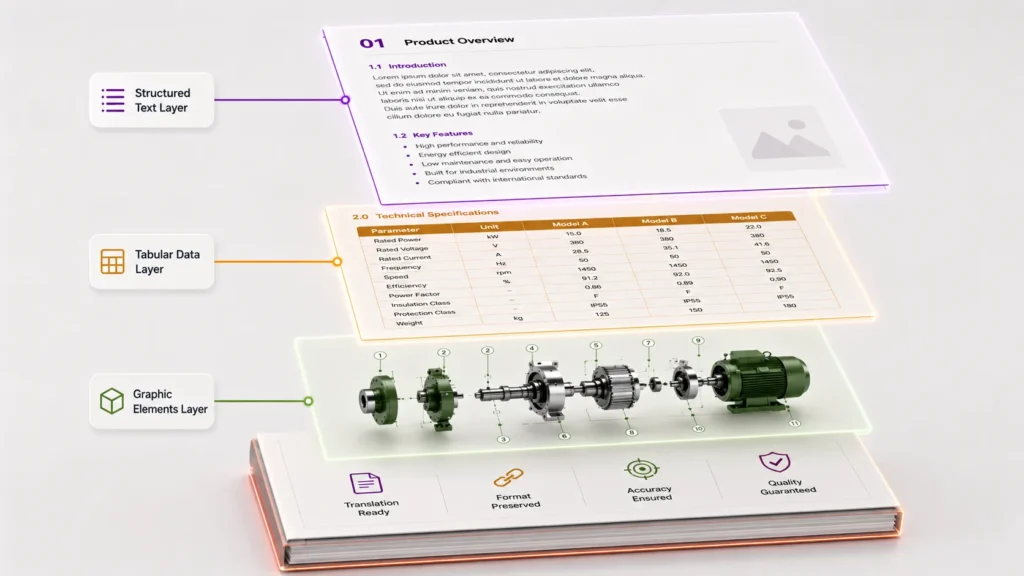
Headings, body text, captions, lists, and tables should use predefined styles instead of manual formatting. Consistent styling improves document segmentation and simplifies formatting after translation.

Separate Text From Graphics

Avoid placing instructions, labels, or technical information directly inside images. Keeping text editable improves translation accuracy and minimizes graphic editing.

Standardize Terminology

Use approved technical terminology throughout the document. Consistent wording improves translation memory performance and supports uniform multilingual documentation.

Build Clean Tables

Use structured tables with consistent rows and columns rather than manually aligned text. This helps maintain layout stability after translation.

Traditional File Preparation vs Structured File Preparation

Traditional Preparation

Structured Preparation

Scanned or flattened files

Fully editable source files

Manual formatting

Style-based formatting

Text inside graphics

Editable text elements

Inconsistent terminology

Standardized terminology

Complex manual layouts

Structured document templates

Extensive post-translation corrections

Streamlined publishing workflow

Structured preparation improves efficiency across the entire localization process.

Common File Preparation Challenges

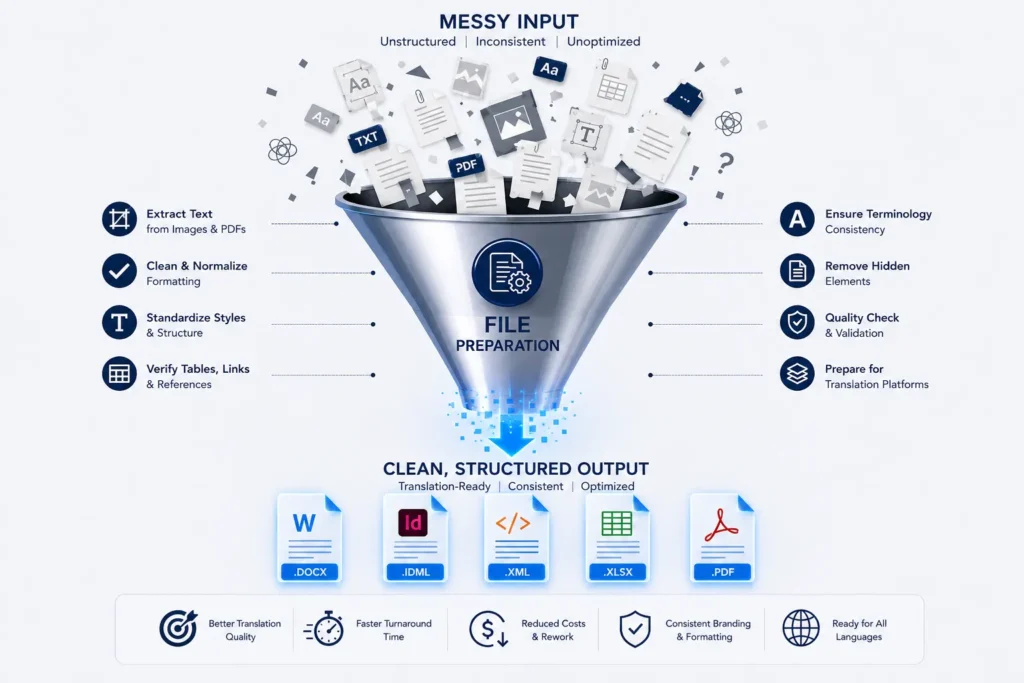
Many documents are created for printing or internal use without considering future translation requirements. As a result, localization teams encounter issues that slow down the entire workflow.

Typical challenges include:

  • Text embedded inside images
  • Inconsistent paragraph and character styles
  • Manual spacing instead of structured formatting
  • Non-editable PDF files
  • Complex tables with merged cells
  • Missing fonts or unsupported characters
  • Broken hyperlinks and cross-references
  • Duplicate or inconsistent terminology

Resolving these problems before translation significantly reduces downstream corrections.

Preparing Files for Translation Platforms

Different translation environments benefit from the same fundamental preparation practices.

Maintain Logical Document Structure

Use consistent heading levels, numbered lists, captions, and table styles to improve content organization.

Verify Fonts and Character Support

Select Unicode-compatible fonts that support the required left-to-right target languages without causing display issues.

Clean Up Formatting

Remove unnecessary manual line breaks, extra spaces, hidden formatting, and duplicate styles before translation.

Check Links and References

Ensure internal references, cross-links, figure numbers, and tables remain accurate before the project begins.

Review Reusable Content

Repeated sections such as safety warnings, product descriptions, and maintenance instructions should remain consistent throughout the documentation to improve translation efficiency.

Practical Publishing Scenario

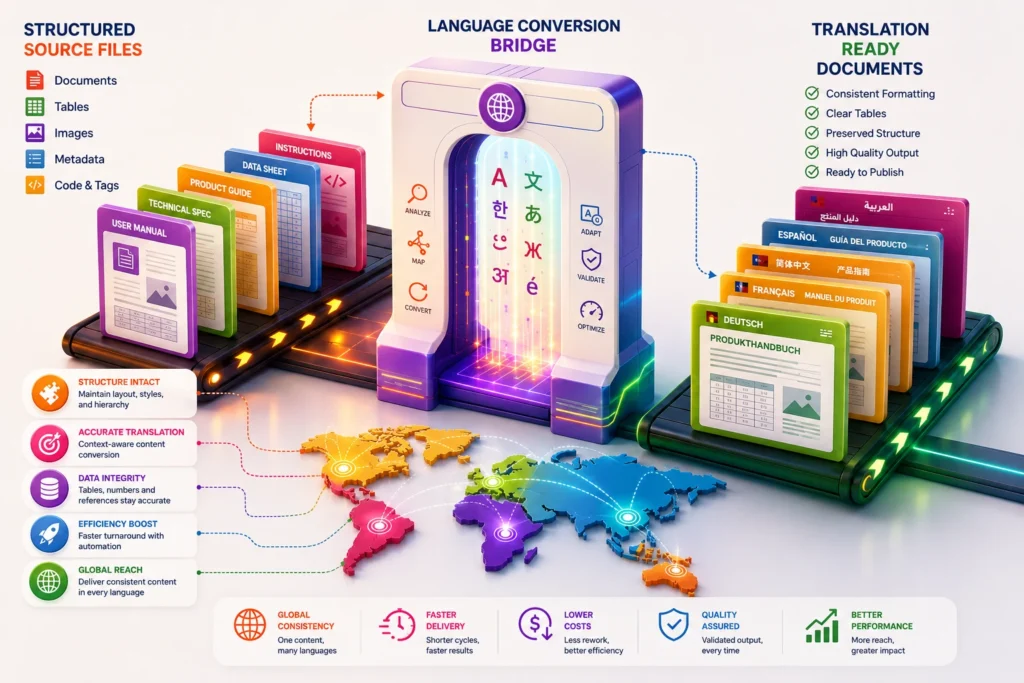
A manufacturing company prepares installation manuals, product specifications, maintenance guides, and safety documentation for several international markets. By organizing editable source files, standardizing styles, separating text from diagrams, and reviewing terminology before translation, the organization reduces formatting corrections, improves consistency across LTR language editions, and accelerates project delivery without compromising document quality.

File Preparation Checklist

Before submitting documents for translation, verify that:

  • Source files are editable.
  • Paragraph and character styles are applied consistently.
  • Text is not embedded inside images.
  • Tables use structured formatting.
  • Technical terminology is standardized.
  • Hyperlinks and references are validated.
  • Fonts support the required LTR languages.
  • Unnecessary formatting has been removed.
  • Graphics and text are stored separately where possible.

Following this checklist helps reduce production issues during translation and publishing.

Creating A Strong Foundation For Multilingual Publishing

Successful translation projects begin long before the first segment is translated. Well-prepared source files improve document quality, simplify localization, and support efficient multilingual publishing workflows. By adopting structured file preparation practices, organizations can reduce production effort, maintain consistent documentation, and ensure technical content remains accurate and professionally formatted across every left-to-right language edition.

Frequently Asked Questions

Proper preparation reduces formatting issues, improves translation quality, shortens production timelines, and simplifies multilingual publishing.

Editable source files such as word processing documents, desktop publishing files, spreadsheets, and presentation files are generally more suitable than scanned or flattened documents.

Style-based formatting creates predictable document structures, making it easier to preserve formatting throughout translation and publishing.

Organizations gain improved consistency, reduced desktop publishing effort, faster localization, better terminology management, lower production costs, and easier document maintenance.

By using editable files, structured layouts, standardized terminology, clean tables, and separated text and graphics before translation begins, organizations can significantly reduce manual corrections after localization.
