
Converting Traditional Textbooks into Interactive Digital Learning Content

Static Content No Longer Meets Every Learning Need

Many educational publishers have extensive catalogs of printed textbooks developed over years of curriculum investment. While these resources often contain valuable educational content, today’s learners increasingly expect more engaging and flexible learning experiences.

Students are accustomed to digital platforms that provide interactivity, instant feedback, multimedia support, and personalized learning pathways. Simply converting a printed textbook into a PDF rarely delivers the level of engagement modern learners expect.

As a result, educational organizations are focusing on transforming traditional textbooks into interactive digital learning content that improves accessibility, participation, and learning effectiveness.

Why Publishers Are Moving Beyond PDF Conversion

A PDF preserves the appearance of a textbook, but it does not fully utilize the capabilities of digital learning environments.

Modern learners often benefit from:

  • Interactive activities
  • Embedded assessments
  • Multimedia explanations
  • Adaptive learning paths
  • Searchable content
  • Progress tracking

Moving beyond static formats allows educational content to become more engaging and responsive to learner needs.

.

Traditional Textbook Vs Interactive Learning Content

Traditional Textbook

Interactive Digital Content

Static pages

Interactive experiences

Linear navigation

Flexible learning paths

Limited feedback

Immediate responses

Print-focused design

Multi-device accessibility

Manual progress tracking

Learning analytics

Fixed content delivery

Personalized experiences

Start With Structured Content Assessment

Before conversion begins, publishers should evaluate the existing textbook structure.

This assessment typically reviews:

  • Chapter organization
  • Learning objectives
  • Visual assets
  • Assessment content
  • Content complexity
  • Curriculum alignment

The goal is to identify which content can be reused directly and which sections would benefit from interactive enhancements.

A structured review helps establish a clear digital transformation strategy.

Transform Learning Activities Into Interactive Experiences

One of the most effective ways to modernize textbook content is by redesigning traditional exercises.

Examples include:

  • Multiple-choice questions
  • Drag-and-drop activities
  • Interactive matching exercises
  • Scenario-based assessments
  • Knowledge checks
  • Practice simulations

These interactive elements encourage active participation and provide learners with immediate feedback.

Instead of simply reading information, students become active participants in the learning process.

Enhance Visual Content For Digital Environments

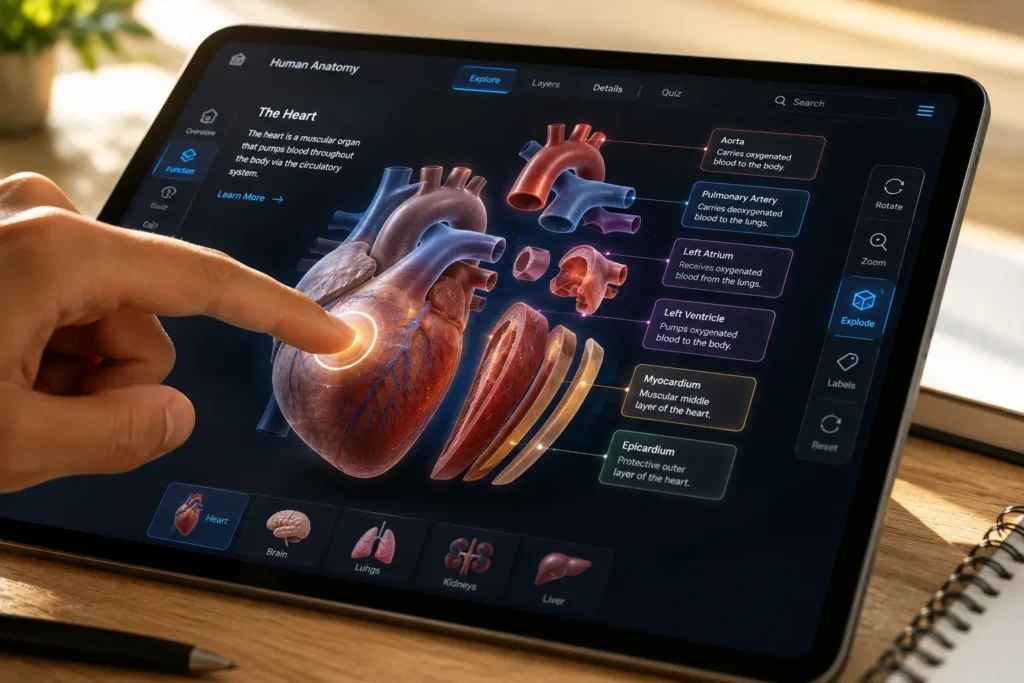
Printed textbooks often contain diagrams, charts, illustrations, and figures that can be expanded in digital formats.

Digital enhancements may include:

  • Clickable diagrams
  • Interactive maps
  • Zoomable illustrations
  • Animated processes
  • Layered visual explanations
  • Guided walkthroughs

These features help learners explore concepts in greater depth while supporting different learning styles.

For STEM subjects in particular, interactive visuals can significantly improve concept understanding.

Integrate Multimedia Learning Components

Traditional textbooks primarily rely on text and static visuals.

Digital learning environments allow publishers to incorporate additional content formats such as:

  • Instructional videos
  • Audio explanations
  • Expert commentary
  • Demonstrations
  • Interactive presentations
  • Virtual learning activities

When used appropriately, multimedia can strengthen learner engagement and improve knowledge retention.

The key is ensuring that multimedia supports learning objectives rather than distracting from them.

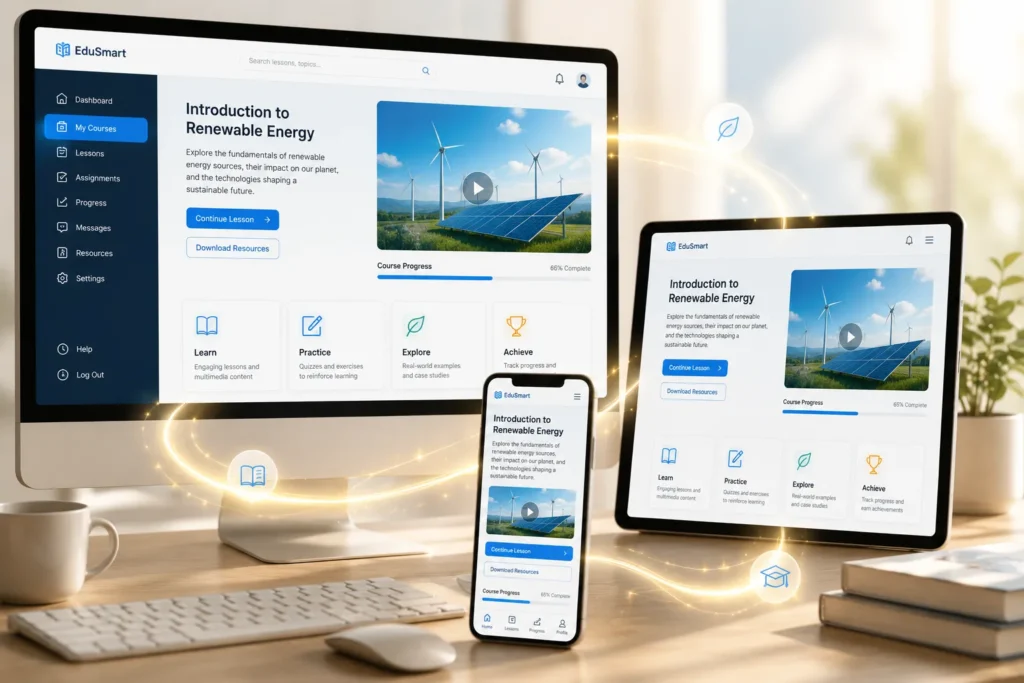
Design For Multi-Device Learning

Students increasingly access educational content through:

  • Laptops
  • Tablets
  • Smartphones
  • Learning platforms
  • Web browsers

Digital learning resources should provide a consistent experience across all devices.

Important Design Considerations

Publishers should focus on:

  • Responsive layouts
  • Accessible navigation
  • Readable typography
  • Mobile-friendly interactions
  • Optimized media assets

Content that functions well across devices helps support flexible learning environments

Incorporate Learning Analytics And Progress Tracking

One major advantage of digital learning is the ability to collect meaningful educational data.

Interactive learning systems can track:

  • Lesson completion
  • Assessment results
  • Time spent on activities
  • Learning progression
  • Engagement levels

These insights help educators identify areas where learners may need additional support.

Publishers can also use analytics to improve future content development efforts

Ensure Accessibility From The Beginning

Accessibility should be considered throughout the conversion process.

Digital learning materials may need to support:

  • Screen readers
  • Keyboard navigation
  • Alternative text descriptions
  • Adjustable display settings
  • Accessible document structures

Building accessibility into content from the start is often more efficient than making modifications later.

Accessible learning materials help educational organizations serve a broader range of learners.

Establish A Sustainable Content Maintenance Strategy

Educational content requires ongoing updates.

Curriculum changes, regulatory updates, and evolving subject matter often necessitate revisions.

Publishers should create workflows that support:

  • Efficient content updates
  • Version management
  • Multi-format publishing
  • Content reuse
  • Quality assurance

A sustainable maintenance strategy helps ensure that digital learning content remains current and effective over time.

FAQ

Most frequent questions and answers

Interactive content improves engagement, supports active learning, and provides greater flexibility across digital platforms

A PDF preserves content but does not provide the interactivity, personalization, and analytics capabilities available in modern digital learning environments

Interactive assessments, multimedia resources, simulations, clickable diagrams, and progress tracking features are commonly incorporated

Many learners access educational materials through smartphones and tablets, making responsive design essential.

Structured workflows, reusable content components, and scalable content management practices help simplify long-term maintenance.
