How InDesign Helps Convert Raw Manuscripts into Structured Learning Materials

Educational publishing involves much more than writing content. A raw manuscript, no matter how well-written, is only the starting point. To become an effective learning resource, that content must be organized, formatted, and presented in a way that supports comprehension, engagement, and accessibility.

This is where Adobe InDesign plays a crucial role. As one of the leading desktop publishing platforms, InDesign enables publishers, instructional designers, and production teams to transform unstructured manuscripts into professionally designed learning materials that meet educational standards and deliver a consistent learning experience.

The Challenge of Raw Manuscripts

Most manuscripts arrive as Word documents or text files containing chapters, headings, tables, images, exercises, and references. While the information may be complete, it often lacks:

  • Consistent formatting
  • Clear visual hierarchy
  • Structured layouts
  • Navigation elements
  • Accessibility considerations
  • Multi-format publishing readiness

Without proper design and organization, even high-quality educational content can become difficult for learners to follow.

Why Structure Matters in Educational Content

Learning materials are not simply documents—they are instructional tools. Students rely on visual cues, content organization, and consistent design patterns to understand and retain information.

A well-structured educational resource typically includes:

  • Clearly defined chapters and sections
  • Learning objectives
  • Callout boxes and key concepts
  • Tables and diagrams
  • Practice activities
  • Assessments and answer keys
  • Consistent typography
  • Easy navigation

Creating these elements manually can be time-consuming and prone to errors. InDesign helps streamline the entire process.

Building a Clear Visual Hierarchy

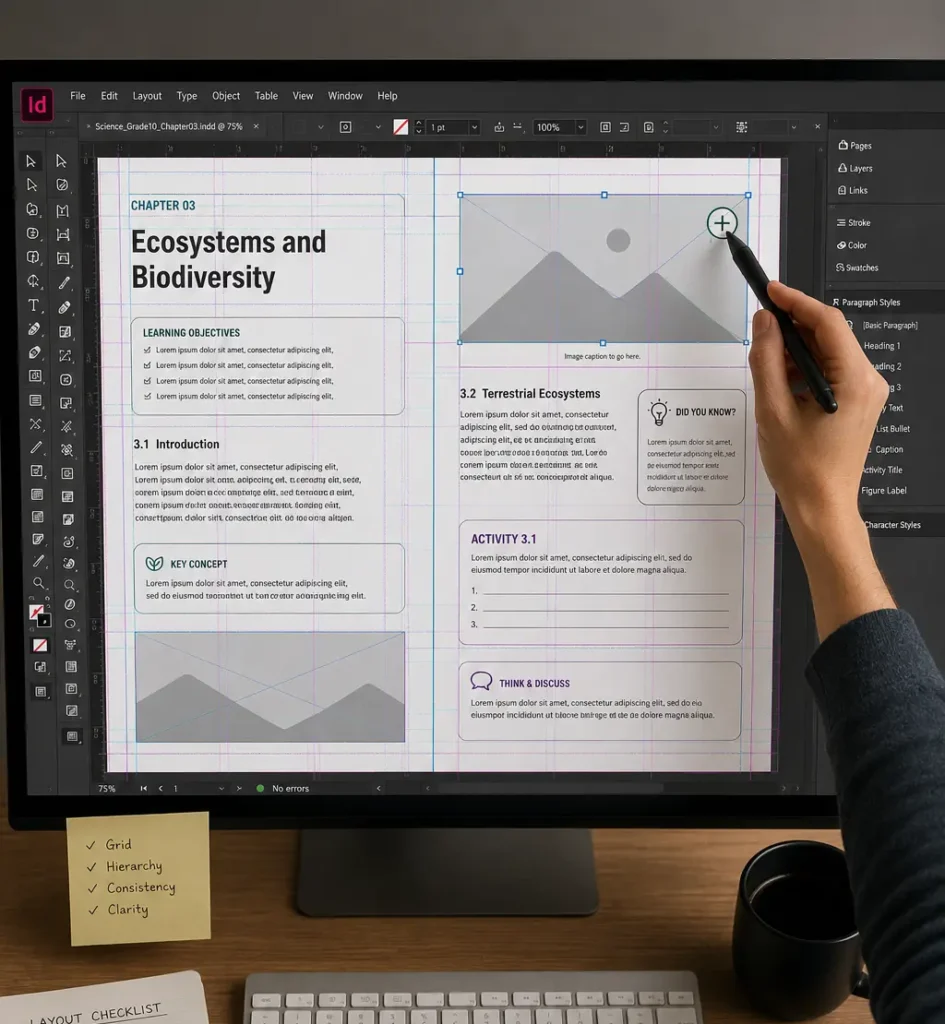
Educational materials often contain large volumes of information. InDesign allows designers to create a logical visual hierarchy that guides students through the content.

This includes:

  • Differentiated heading levels
  • Color-coded learning sections
  • Highlighted definitions
  • Important notes and warnings
  • Summary boxes

Using Grids and Layout Systems

A structured page layout is essential for educational publishing.

InDesign enables designers to use:

  • Baseline grids
  • Column grids
  • Margin guides
  • Modular page structures

These tools ensure content is aligned consistently across hundreds or even thousands of pages.

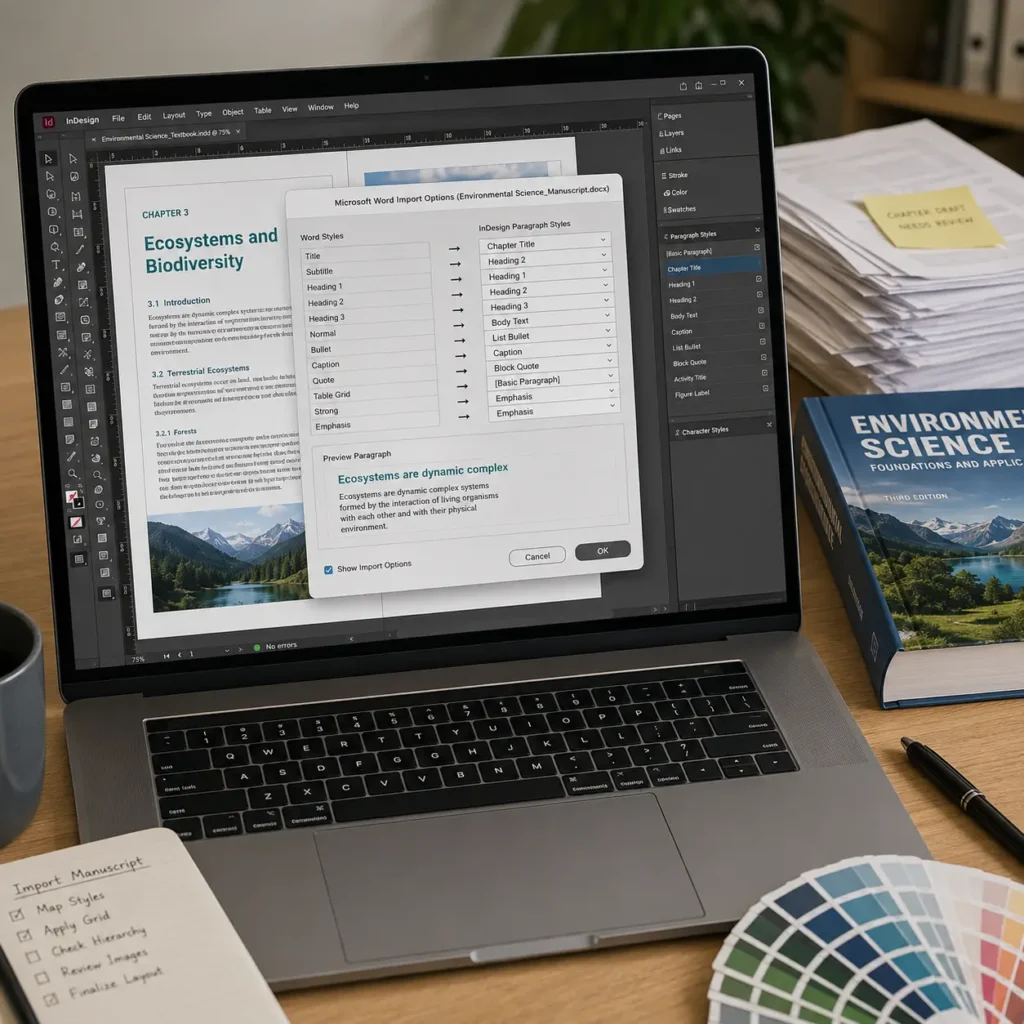
Organizing Content with Paragraph and Character Styles

One of InDesign’s most powerful features is the use of styles.

Production teams can create predefined formatting rules for:

  • Chapter titles
  • Headings and subheadings
  • Body text
  • Captions
  • Bulleted lists
  • Activity instructions
  • Assessment questions

Instead of manually formatting every page, styles automatically maintain consistency throughout the publication.

This ensures that learners encounter the same visual structure across every chapter, improving readability and reducing confusion.

Integrating Images, Tables, and Educational Graphics

Modern educational content relies heavily on visuals.

InDesign allows production teams to seamlessly integrate:

  • Photographs
  • Illustrations
  • Infographics
  • Charts
  • Scientific diagrams
  • Educational tables

Images can be precisely positioned and aligned with surrounding content, ensuring a clean and balanced page design.

Managing Large Multi-Chapter Projects

Textbooks, workbooks, and teacher guides often contain multiple chapters developed by different authors and editors.

InDesign’s Book feature allows publishers to:

  • Link multiple files into one project
  • Maintain consistent numbering
  • Synchronize styles
  • Generate automatic tables of contents
  • Manage indexes across chapters

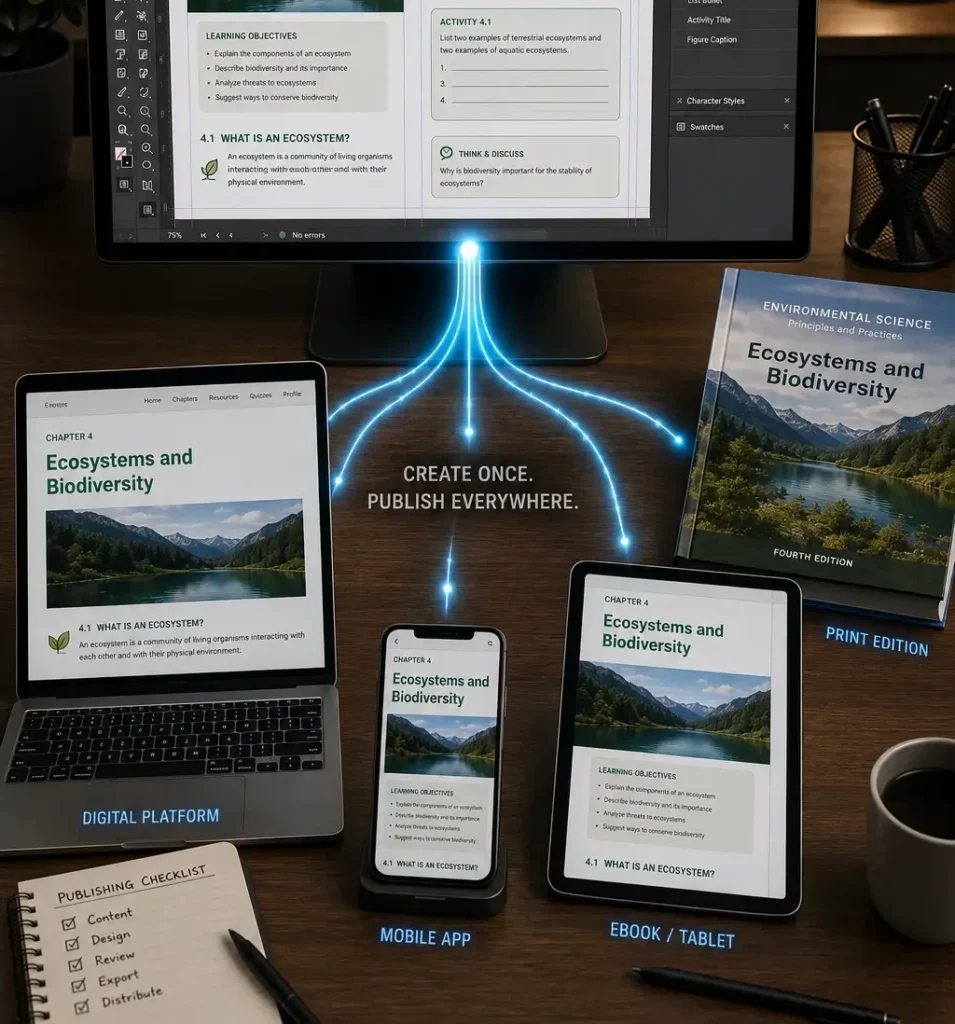
Supporting Multiple Learning Formats

Today’s learners consume content across various platforms.

Educational publishers often need to produce:

  • Printed textbooks
  • Student workbooks
  • Teacher editions
  • PDFs
  • Digital learning guides
  • eBooks

Rather than recreating content for each format, InDesign allows teams to maintain a single source and adapt it for multiple delivery channels.

Improving Accuracy Through Automation

Manual formatting increases the risk of errors.

InDesign offers automation features that help production teams maintain accuracy, including:

  • Automatic page numbering
  • Cross-references
  • Running headers
  • Table of contents generation
  • Index creation
  • Style synchronization

Enhancing Collaboration Between Teams

Educational publishing often involves collaboration among:

  • Authors
  • Editors
  • Subject matter experts
  • Instructional designers
  • Production specialists

InDesign supports efficient workflows by allowing production teams to work from approved manuscripts while applying standardized design systems.

Supporting Accessibility and Inclusive Learning

Accessibility has become an essential requirement in educational publishing.

InDesign supports accessibility initiatives through:

  • Structured tagging
  • Alternative text for images
  • Proper reading order
  • Accessible PDF creation
  • Screen reader compatibility

Why Specialized InDesign Production Teams Matter

While InDesign is a powerful tool, maximizing its benefits requires expertise.

Specialized production teams understand how to:

  • Create scalable design systems
  • Manage large educational projects
  • Apply curriculum standards consistently
  • Optimize content for print and digital delivery
  • Maintain quality control across multiple products

Their expertise helps publishers transform raw manuscripts into polished, publication-ready learning materials efficiently and accurately.

Conclusion

Raw manuscripts contain valuable educational content, but effective learning materials require much more than text alone. Adobe InDesign provides the structure, consistency, and design capabilities needed to transform manuscripts into engaging, learner-friendly resources.

From organizing content and establishing visual hierarchy to managing multi-format publishing and maintaining consistency across large projects, InDesign serves as a cornerstone of modern educational publishing workflows. When combined with experienced production teams, it enables publishers to deliver high-quality learning materials that support better educational outcomes.

Frequently Asked Questions​

Adobe InDesign is used to design, format, and produce educational materials such as textbooks, workbooks, teacher guides, eBooks, and digital learning resources.

It creates consistent layouts, clear visual hierarchy, organized content structures, and professional typography that improve readability and learner engagement.

Yes. InDesign’s Book feature allows publishers to manage multiple chapters, synchronize styles, maintain numbering, and generate tables of contents across large projects.

Styles ensure consistent formatting throughout a publication, reducing manual work and improving design accuracy.

Yes. InDesign allows publishers to create content for print, PDF, eBook, and other digital formats from a unified production workflow.
