
The Growing Need for High-Quality Educational Content

Educational publishers face increasing pressure to create engaging, accurate, and visually appealing learning materials for schools, universities, training institutions, and corporate learning programs. Whether producing textbooks, workbooks, assessment guides, e-learning manuals, teacher resources, or digital publications, maintaining consistency and professional presentation is essential. 

As learning content becomes more complex and multi-format publishing becomes the norm, publishers require tools that support efficient content creation, structured layouts, and scalable production workflows. 

This is why many educational organizations use Adobe InDesign as a preferred platform for professional learning content development. 

Why InDesign Is Popular Among Educational Publishers 

Adobe InDesign is widely used because it combines advanced layout capabilities with professional publishing controls. 

Key benefits include: 

Structured Content Layouts 

Educational materials often contain: 

  • Chapters and sections 
  • Learning objectives 
  • Activities and exercises 
  • Assessments 
  • Tables and diagrams 
  • Callout boxes 

InDesign helps publishers organize these elements consistently throughout a publication. 

Consistent Design Standards 

Publishers can use: 

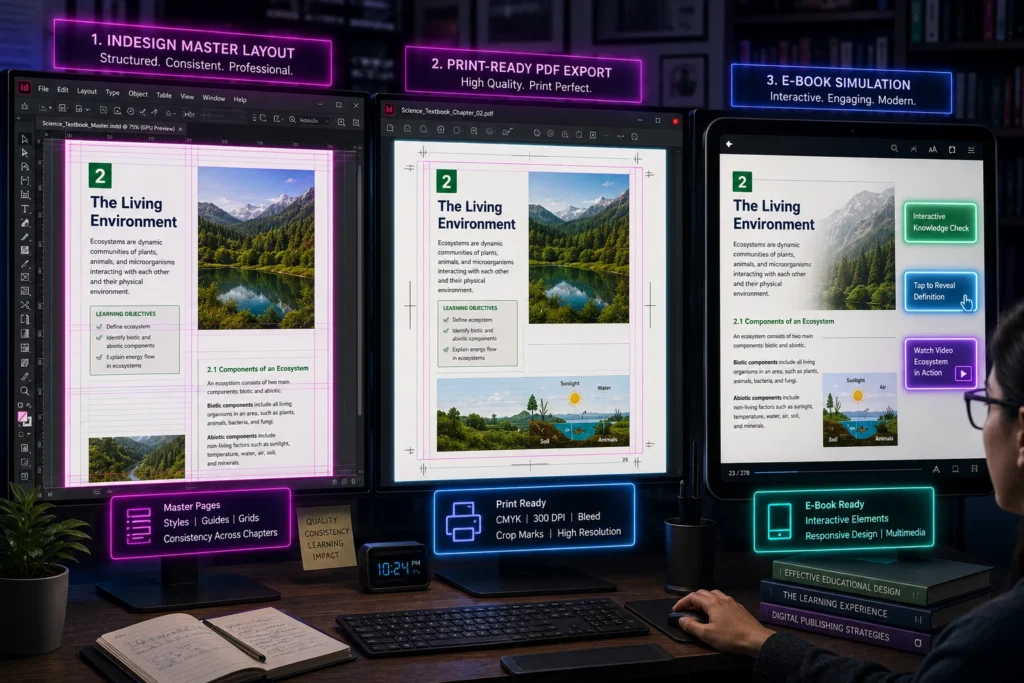
  • Paragraph styles 
  • Character styles 
  • Master pages 
  • Templates 
  • Automated formatting 

This ensures every book maintains a professional and uniform appearance. 

Efficient Multi-Page Document Management 

Educational textbooks frequently contain hundreds of pages. 

InDesign allows teams to: 

  • Manage large documents efficiently 
  • Automate page numbering 
  • Generate tables of contents 
  • Maintain layout consistency 
  • Update content across multiple pages 

Print and Digital Publishing Support 

Modern educational content is often distributed through multiple channels. 

InDesign supports: 

  • Print-ready PDF creation 
  • Interactive digital publications 
  • E-book workflows 
  • Online learning resources 
  • Multi-device content delivery 

Challenges in Educational Publishing 

Creating educational content involves more than simply writing text. Publishers must manage: 

  • Large volumes of content 
  • Complex page layouts 
  • Tables, diagrams, and illustrations 
  • Multi-author collaboration 
  • Consistent branding and formatting 
  • Print and digital publishing requirements 
  • Frequent content revisions 
  • Curriculum compliance requirements 

Without specialized publishing tools, maintaining quality and consistency across large educational projects can become difficult. 

Compare InDesign with Basic Document Creation Tools 

Feature 

Standard Word Processors 

Adobe InDesign 

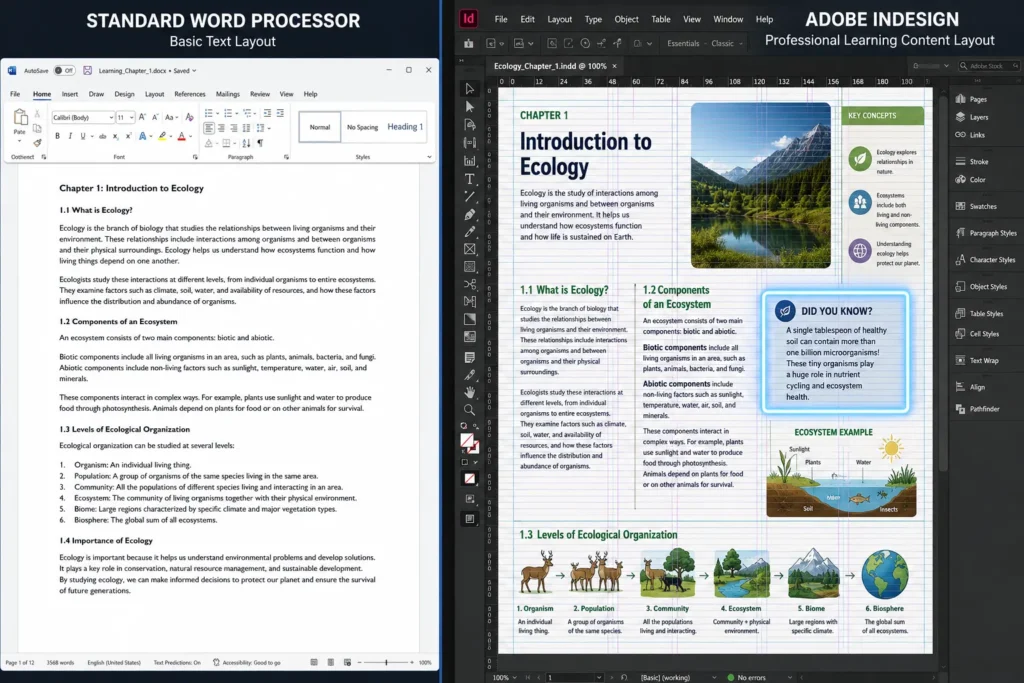
Page Layout Control 

Basic 

Advanced 

Large Document Management 

Limited 

Extensive 

Design Consistency 

Manual 

Automated 

Publishing Quality 

Moderate 

Professional 

Multi-Format Output 

Limited 

Comprehensive 

Graphic Integration 

Basic 

Advanced 

Template Management 

Limited 

Extensive 

Educational Publishing Support 

Basic 

Professional 

When publishers compare these options, InDesign typically offers greater control over complex educational content.

How InDesign Supports Learning Content Development 

Educational publishers use InDesign to create: 

School Textbooks 

Structured curriculum content with consistent layouts and visual organization. 

Teacher Guides 

Detailed instructional materials with supporting resources and annotations. 

Training Manuals 

Professional learning materials for corporate and vocational education. 

Assessment Resources 

Workbooks, test papers, and evaluation guides with precise formatting requirements. 

Interactive Learning Publications 

Digital content designed for modern learning environments.

Best Practices for Educational Publishing Projects 

Organizations developing learning content often focus on: 

  • Standardized templates 
  • Content consistency 
  • Accessibility considerations 
  • Visual learning support 
  • Version control 
  • Multi-format publishing 
  • Quality assurance processes 

Professional publishing platforms help streamline these requirements.

Building Better Educational Publishing Workflows 

Educational publishing requires a balance between content quality, visual presentation, consistency, and production efficiency. Organizations that develop textbooks, training materials, workbooks, and digital learning resources often choose InDesign because it provides the professional publishing capabilities needed to manage complex projects at scale. By supporting structured layouts, design consistency, and multi-format publishing, InDesign helps educational publishers create high-quality learning content that meets the expectations of modern learners and educators. 

Frequently Asked Questions

InDesign provides advanced layout control, professional publishing features, template management, and support for large educational documents.

Yes. Many publishers use InDesign to create textbooks, workbooks, teacher guides, and educational resources. 

Yes. InDesign supports print, PDF, e-book, and interactive publishing workflows. 

Features such as styles, templates, and master pages help maintain consistent formatting throughout publications. 

Yes. Structured workflows and standardized templates make collaboration easier across content development teams.
