How Educational Publishers Use InDesign for Workbook and Assessment Creation

Creating educational workbooks and assessments requires more than assembling content into pages. Publishers must ensure that exercises are easy to follow, answer spaces are properly structured, diagrams are clear, and layouts remain consistent across hundreds of pages. As educational content becomes increasingly complex and distributed across print and digital formats, maintaining quality and efficiency has become a significant challenge.

To address these demands, educational publishers rely on Adobe InDesign to develop structured workbooks, activity books, teacher resources, and assessment materials. Its advanced layout capabilities help organizations create learning resources that are visually organized, scalable, and suitable for diverse educational environments.

Why Workbook and Assessment Design Requires Specialized Tools

Unlike standard books, educational workbooks contain multiple interactive elements that must work together seamlessly.

These often include:

  • Fill-in-the-blank exercises
  • Multiple-choice questions
  • Matching activities
  • Tables and charts
  • Visual learning aids
  • Answer sections
  • Assessment rubrics
  • Progress tracking elements

Managing these components manually can lead to formatting inconsistencies and production delays. InDesign provides a structured environment that supports the development of complex educational materials while maintaining consistency throughout a project.

Designing Interactive Workbook Activities

Educational workbooks often combine instructional content with learner participation.

InDesign enables publishers to create:

  • Writing spaces
  • Practice sections
  • Reflection activities
  • Graphic organizers
  • Worksheets
  • Skill-building exercises

The software provides precise control over spacing, alignment, and page structure, ensuring activities remain clear and accessible.

This level of design precision is particularly important for younger learners who rely on visual organization to complete tasks effectively.

Creating Consistent Learning Experiences Across Pages

One of the primary reasons publishers use InDesign is its ability to maintain design consistency.

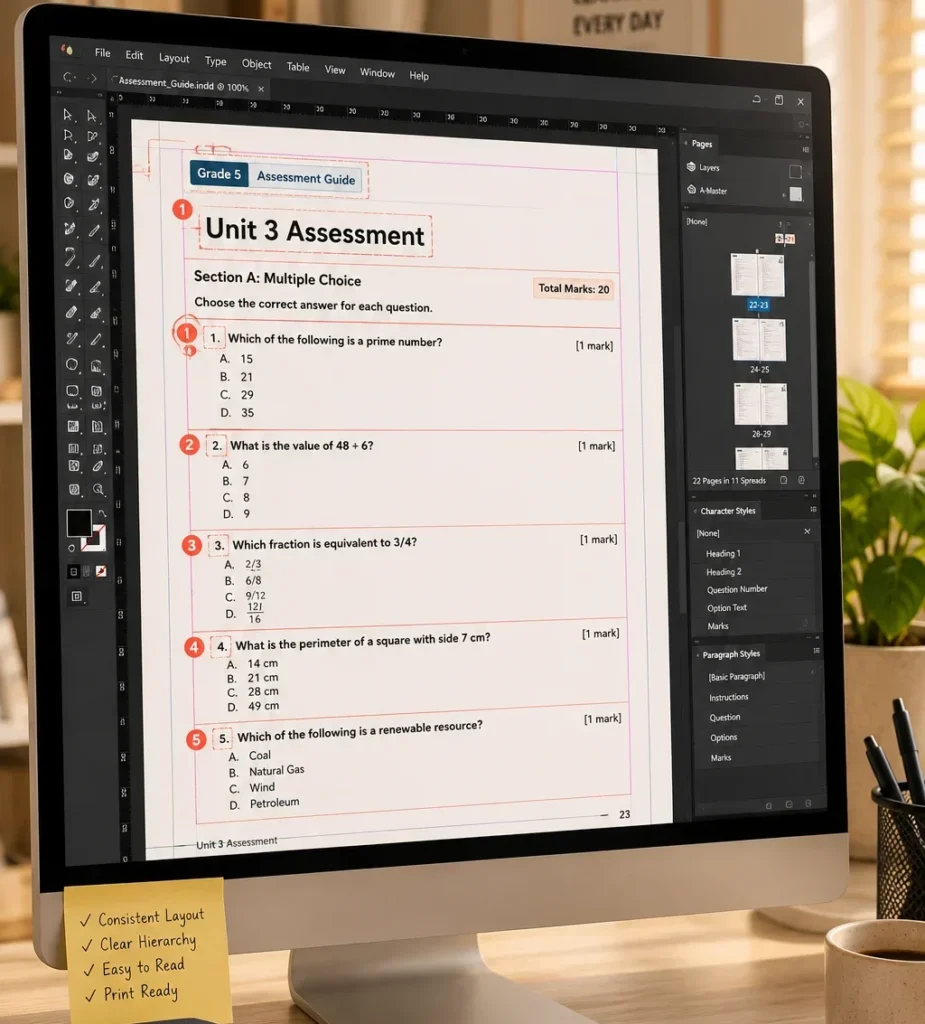
Using paragraph styles, character styles, object styles, and master pages, publishers can standardize:

  • Chapter headings
  • Exercise instructions
  • Question formats
  • Answer boxes
  • Page numbering
  • Assessment layouts

This consistency helps learners navigate materials more easily and creates a professional appearance across an entire curriculum.

Example

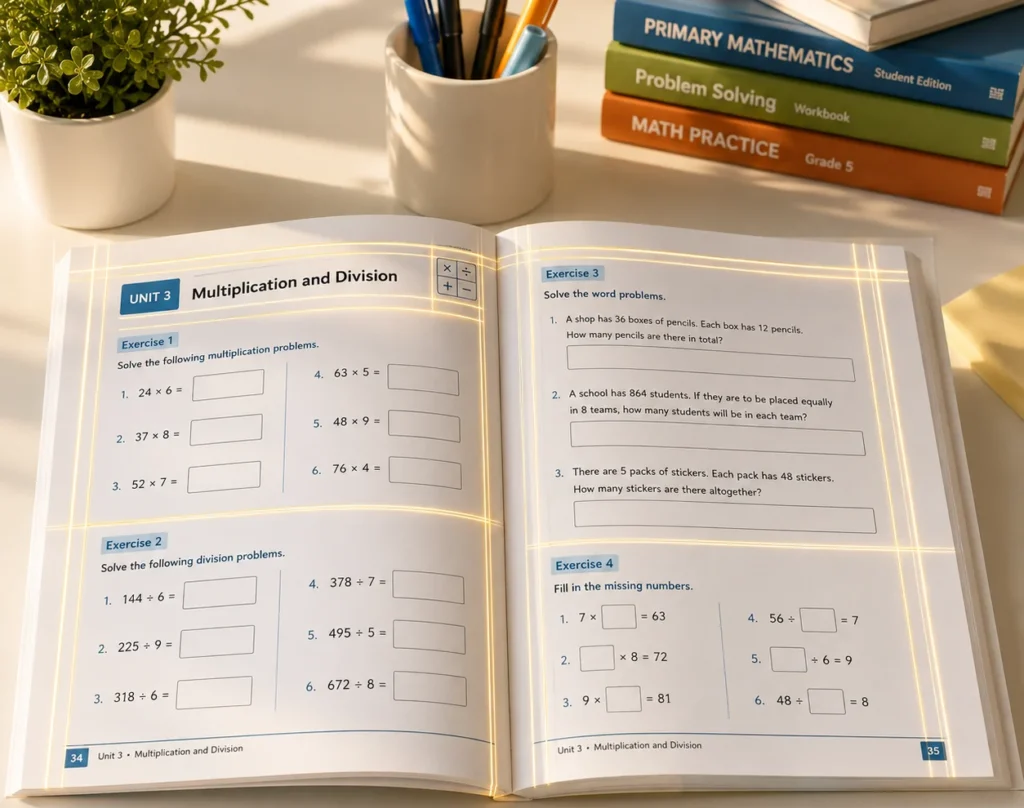
A mathematics workbook may contain hundreds of exercises spread across multiple grade levels. By applying standardized styles, publishers can ensure every activity follows the same visual structure, reducing confusion for students and educators.

Managing Visual Learning Elements

Modern educational resources frequently include illustrations, infographics, diagrams, and educational graphics.

Publishers use InDesign to integrate visual content while maintaining page balance and readability.

Benefits include:

  • Accurate image placement
  • Consistent figure numbering
  • Controlled text wrapping
  • High-quality print output
  • Flexible image scaling

Well-placed visuals help explain complex concepts and support different learning styles.

Developing Assessments That Support Evaluation Goals

Assessment materials require a different design approach than instructional content.

Publishers must ensure that assessments:

  • Follow curriculum standards
  • Present questions clearly
  • Allow sufficient answer space
  • Maintain scoring consistency
  • Support both print and digital delivery

InDesign helps structure assessments using reusable templates and standardized layouts.

Traditional Assessment Development

InDesign-Based Assessment Development

Manual formatting

Template-driven design

Inconsistent question layouts

Standardized assessment structure

Repeated page setup work

Reusable master pages

Higher formatting errors

Controlled design consistency

Time-consuming revisions

Efficient content updates

This structured workflow helps publishers produce assessments more efficiently while maintaining quality.

Supporting Multi-Format Publishing Requirements

Educational organizations increasingly require content for both print and digital learning environments.

Publishers use InDesign to prepare:

  • Print-ready PDFs
  • Interactive PDFs
  • Digital workbooks
  • Teacher guides
  • Student editions
  • Supplemental learning materials

By maintaining a single source file, publishers can streamline updates and reduce duplication across formats.

This flexibility is particularly valuable when educational content requires frequent revisions or curriculum updates.

Improving Collaboration During Content Production

Workbook creation typically involves multiple stakeholders, including authors, editors, instructional designers, subject matter experts, and production teams.

InDesign supports collaboration through structured workflows that make content review and revision more manageable.

Teams can:

  • Review layouts efficiently
  • Track design consistency
  • Validate assessment structures
  • Verify graphics and tables
  • Perform quality assurance checks

A collaborative workflow reduces production bottlenecks and helps maintain publishing schedules.

A Practical Educational Publishing Scenario

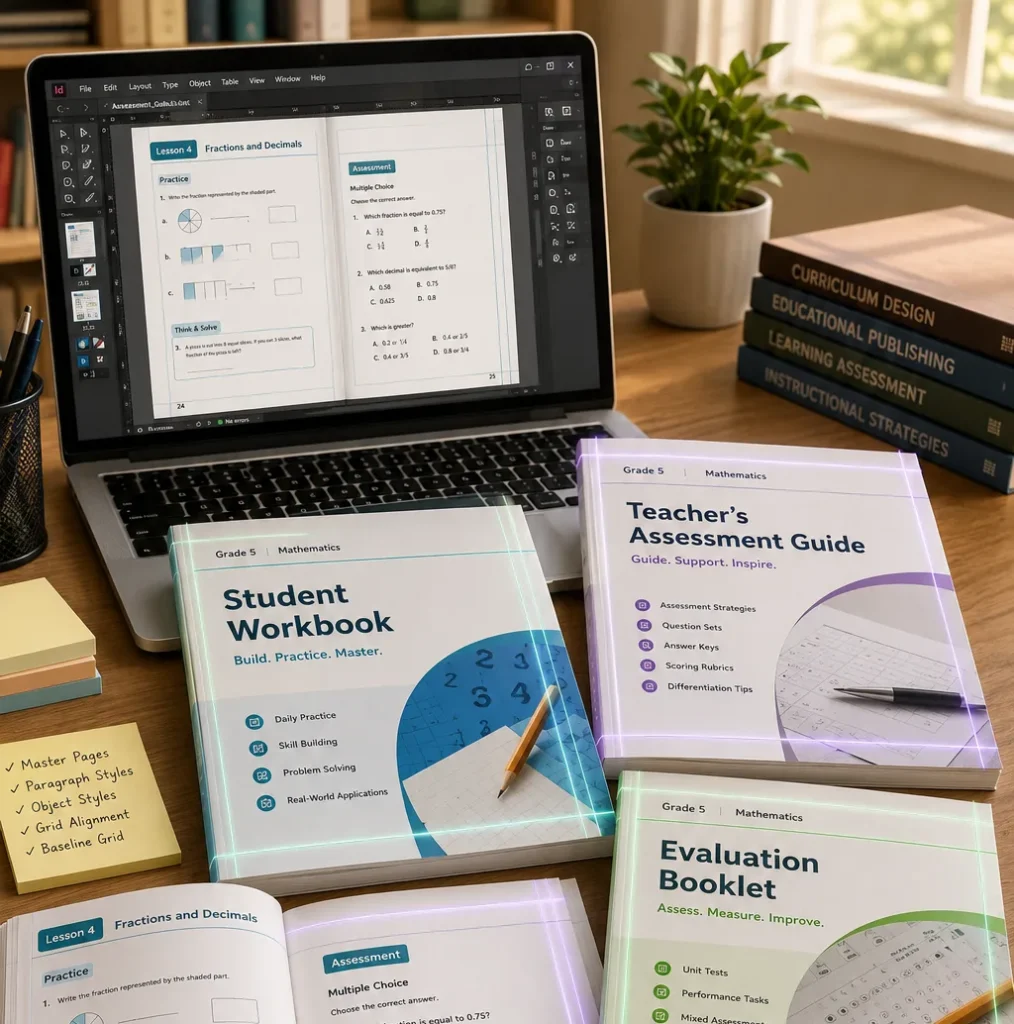
Consider a publisher developing a science curriculum that includes student workbooks, assessment booklets, teacher manuals, and digital learning resources.

Each component could need to be formatted separately in the absence of a standardised design system, lengthening production time and raising the possibility of discrepancies.

The publisher may establish a cohesive content ecosystem where all materials adhere to uniform design standards and are simple to maintain and grow by utilising InDesign templates, styles, and structured page layouts.

Building Stronger Educational Resources Through Structured Design

High-quality workbooks and assessments depend on thoughtful organization, consistent formatting, and efficient production processes. InDesign provides educational publishers with the tools needed to develop engaging learning resources that support instruction, assessment, and learner success. As educational content continues to evolve across print and digital environments, structured design workflows will remain essential for producing effective and reliable learning materials.

Frequently Asked Questions

I am item content. Click edit button to change this text. Lorem ipsum dolor sit amet, consectetur adipiscing elit. Ut elit tellus, luctus nec ullamcorper mattis, pulvinar leo.

Yes. Publishers commonly use InDesign to design quizzes, tests, worksheets, evaluation forms, and curriculum-based assessments.

Features such as styles, master pages, and templates ensure consistent formatting throughout large publishing projects.

Yes. Publishers can create content for print, interactive PDFs, and various digital publishing formats from a single workflow.

It helps improve efficiency, maintain design consistency, simplify updates, reduce formatting errors, and support scalable content production.