How Adobe InDesign, Trados, and MemoQ Streamline Global Localization Workflows

When Multilingual Projects Become Difficult to Manage

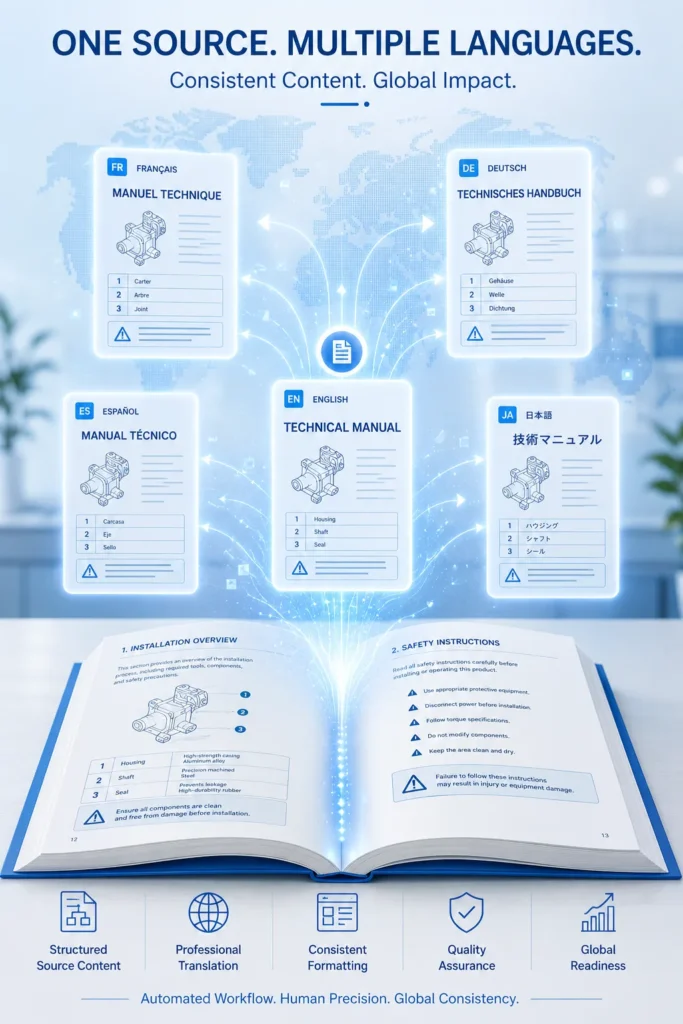
Global organizations often need to publish product manuals, technical documents, marketing materials, educational resources, and corporate communications in multiple languages. While translating the content is essential, maintaining document structure, formatting, and consistency across every language version is equally important. Without a structured localization workflow, teams spend significant time correcting layouts, updating terminology, and resolving formatting issues after translation.

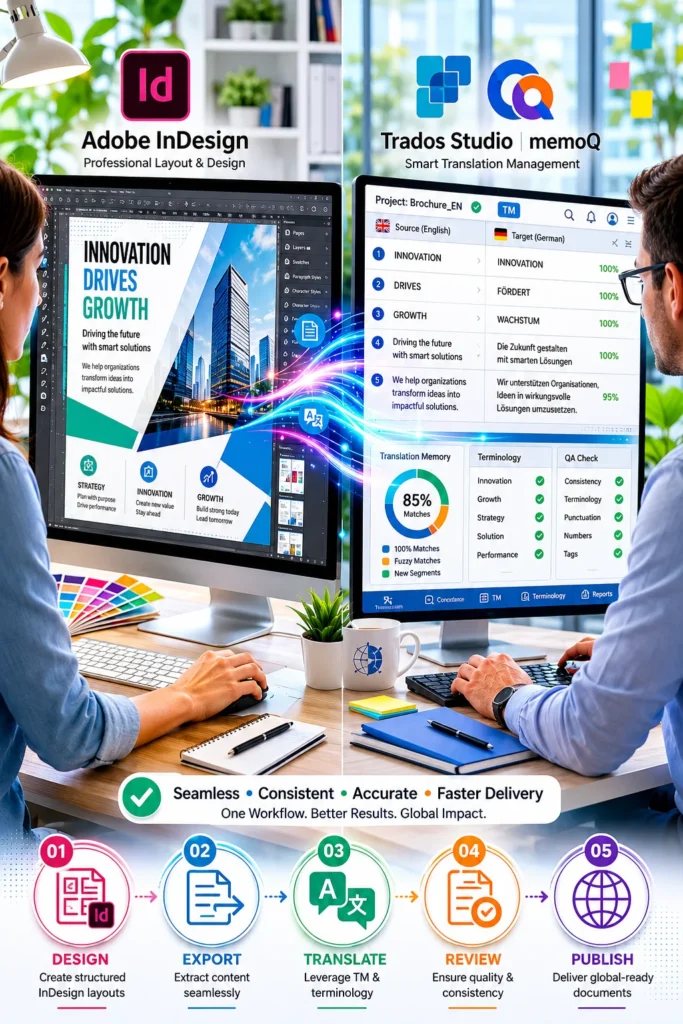
Adobe InDesign, SDL Trados Studio, and MemoQ work together to create a more organized localization process. By combining professional page layout with translation management tools, organizations can improve collaboration, reduce manual formatting, and deliver multilingual documents more efficiently.

Why Integrated Localization Workflows Matter

Localization extends beyond translating words. Documents must preserve layouts, graphics, styles, tables, and branding while adapting content for different markets. Managing these elements manually increases the likelihood of formatting inconsistencies and production delays.

An integrated workflow allows design and translation teams to work from structured source files, reducing duplicate effort and supporting consistent output throughout the publishing process.

The Role of Adobe InDesign in Document Preparation

Adobe InDesign provides the foundation for professionally designed documents. Before translation begins, well-structured InDesign files help ensure that content can be extracted and re-imported with minimal manual intervention.

Key advantages include:

  • Paragraph and character styles
  • Master pages for consistent layouts
  • Linked graphics and assets
  • Structured tables and anchored objects
  • Organized document hierarchy

Preparing clean InDesign files at the start helps minimize layout corrections after localization.

How Trados and MemoQ Improve Translation Management

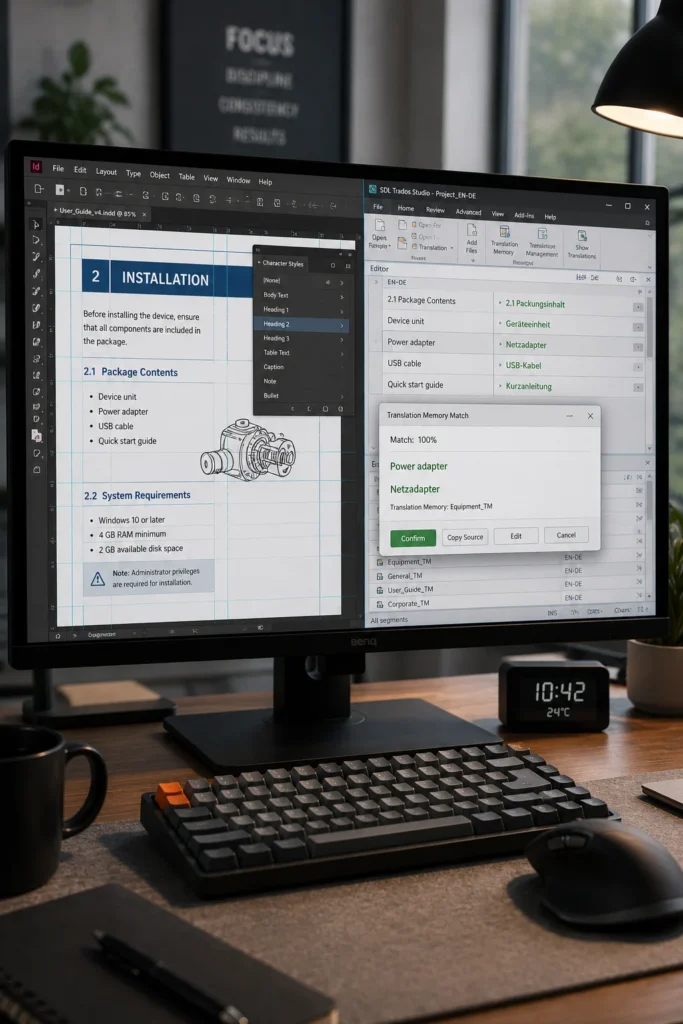
Translation management systems such as Trados and MemoQ help translators work more efficiently while maintaining quality and consistency.

These platforms support:

  • Translation Memory (TM)
  • Terminology management
  • Quality assurance checks
  • Reuse of previously translated content
  • Collaborative translation workflows
  • Project tracking and review

Instead of translating identical phrases repeatedly, translators can reuse approved translations, improving consistency across large document collections.

Adobe InDesign and Translation Tools: A Connected Workflow

A structured localization workflow typically follows these stages:

Traditional Workflow

Integrated Workflow

Manual text extraction

Structured content export

Independent translation

Translation Memory-assisted translation

Manual formatting after translation

Layout preservation during import

Repeated terminology reviews

Centralized terminology management

Multiple formatting revisions

Reduced post-translation corrections

This connected approach helps publishing teams maintain document quality while shortening production timelines.

Benefits for Large-Scale Localization Projects

Organizations managing multilingual documentation often handle hundreds or thousands of pages across multiple product versions. Using Adobe InDesign together with Trados or MemoQ offers several operational advantages:

  • Improved document consistency
  • Reduced formatting effort
  • Faster project turnaround
  • Better terminology control
  • Simplified review cycles
  • More efficient content updates
  • Improved collaboration between designers and translators

These benefits become increasingly valuable as document volume and language requirements grow.

Common Workflow Challenges and How They Are Addressed

Even well-managed localization projects can encounter production challenges. A structured workflow helps reduce many of the most common issues.

Challenge

Structured Approach

Layout changes after translation

Style-based document design

Inconsistent terminology

Translation Memory and terminology databases

Duplicate translation effort

Reuse of approved content

Manual formatting corrections

Automated content exchange

Lengthy review cycles

Centralized quality checks

Addressing these challenges early supports more predictable project schedules and improves overall document quality.

A Practical Publishing Scenario

Consider a software company releasing user documentation in several left-to-right languages. The documentation is created in Adobe InDesign using standardized styles and templates. Content is then prepared for translation using Trados or MemoQ, where Translation Memory and terminology resources help maintain consistency across product documentation.

After translation, the localized content is placed back into the InDesign files with significantly fewer formatting adjustments than a fully manual process. Review teams can focus on linguistic quality and layout verification instead of rebuilding document formatting.

This structured workflow supports efficient updates when future product versions require documentation changes.

Strengthening Multilingual Publishing Efficiency

Global localization requires more than accurate translation—it depends on maintaining document quality, consistency, and production efficiency across every language edition. By combining Adobe InDesign with Trados and MemoQ, organizations can establish a structured workflow that supports reliable multilingual publishing, improves collaboration between design and translation teams, and helps deliver consistent documentation with fewer production bottlenecks.

FAQ

Adobe InDesign helps maintain professional layouts, consistent formatting, and structured document design throughout multilingual publishing projects.

They use Translation Memory, terminology management, and quality assurance features to improve consistency and reduce repeated translation work.

Well-structured source files reduce formatting issues, simplify content exchange, and make localization more efficient.

Technical manuals, educational publications, product documentation, brochures, reports, catalogs, and corporate communications commonly benefit from integrated localization workflows.

Using structured InDesign files together with translation management tools allows content to move between design and translation environments more efficiently, reducing manual layout corrections during multilingual publishing.
