
Creating Accessible Learning Content Using Adobe InDesign

Accessibility Is No Longer an Optional Publishing Requirement

Educational content today reaches a broader and more diverse audience than ever before. Students access learning materials on laptops, tablets, smartphones, e-readers, and assistive technologies. Some learners rely on screen readers, others need adjustable text sizes, while many benefit from clear document structure and logical navigation.

For educational publishers, accessibility is no longer simply a compliance consideration. It has become a fundamental part of creating effective learning experiences.

As institutions place greater emphasis on inclusive education, content development teams are increasingly looking at how accessibility can be incorporated into publishing workflows from the beginning rather than added as an afterthought.

The Challenge of Building Inclusive Learning Resources

Imagine a publisher producing a digital science textbook for use across multiple schools. The content may include diagrams, assessment activities, tables, photographs, sidebars, and references. While the material may be academically accurate, it can still create barriers if learners cannot easily navigate or interpret the content.

Common accessibility challenges include:

  • Poor document structure
  • Missing image descriptions
  • Inconsistent heading hierarchies
  • Difficult navigation
  • Low-contrast design elements
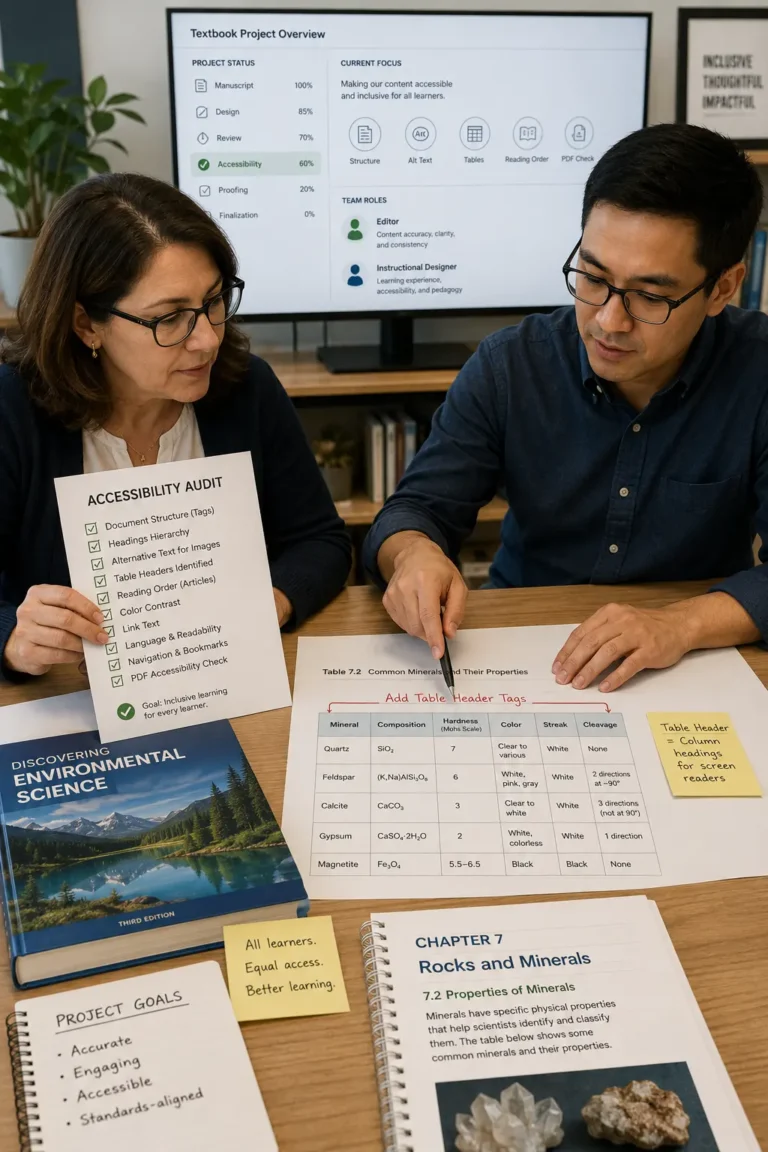
  • Complex table layouts
  • Digital content that is not compatible with assistive technologies

When these issues are discovered late in production, correcting them can become expensive and time-consuming.

Why Accessibility Starts During Content Development

Many accessibility problems originate during the design stage rather than during final publication.

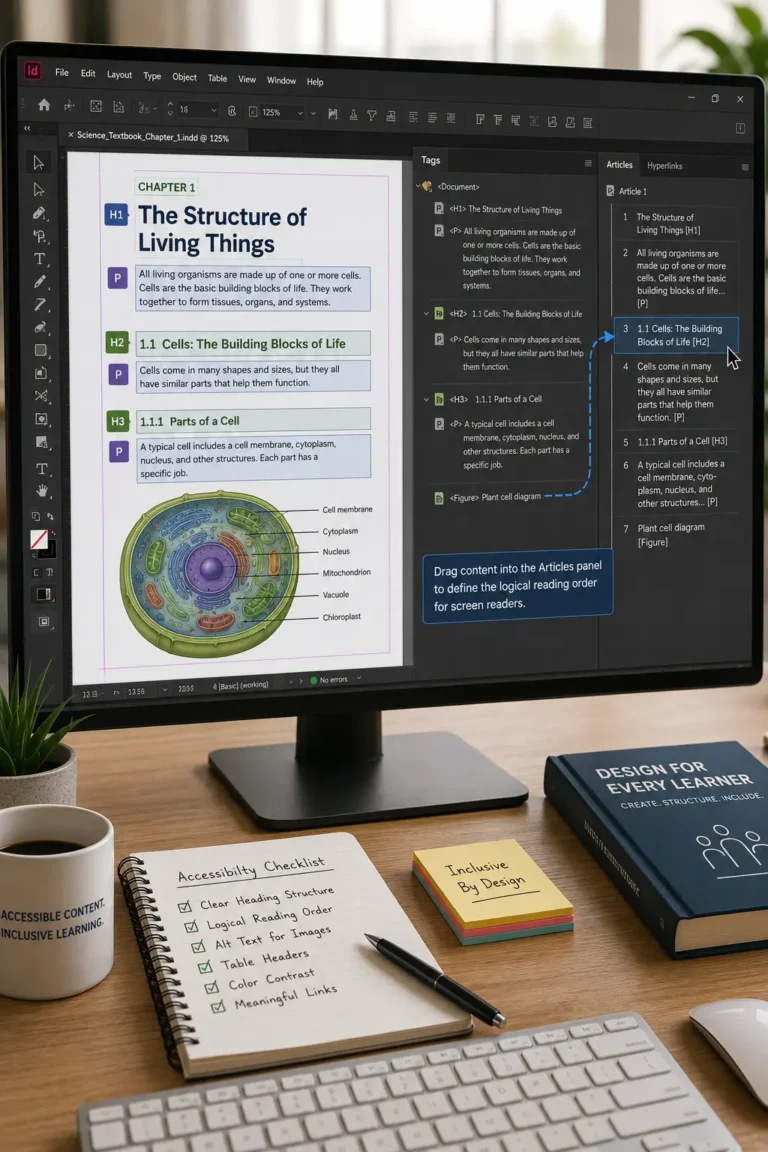
For example, a chapter may appear visually organized on screen but lack the structural information required by screen readers. Similarly, diagrams that communicate important concepts visually may provide little value to learners who cannot see them if descriptive alternatives are not included.

Publishing teams that address accessibility early often find it easier to maintain quality throughout the project lifecycle.

How InDesign Supports Accessible Publishing Workflows

Educational publishers frequently use InDesign as part of a broader content production process because it allows accessibility considerations to be incorporated while documents are being designed and developed.

Structured Content Organization

Learning materials typically contain multiple content layers:

  • Chapter titles
  • Learning objectives
  • Activities
  • Assessments
  • References
  • Supplementary resources

Establishing a clear structure helps both learners and assistive technologies navigate content more effectively.

Consistent Heading Hierarchies

A well-designed textbook often contains hundreds of headings and subheadings.

By maintaining a logical hierarchy throughout a publication, publishers can create learning materials that are easier to understand, search, and navigate.

Alternative Text for Educational Graphics

Many educational resources rely heavily on visual communication.

Examples include:

  • Scientific diagrams
  • Historical illustrations
  • Geographic maps
  • Process charts
  • Technical drawings

Providing meaningful descriptions helps ensure that essential learning information remains available to all learners.

Improved Navigation for Digital Learning

Digital textbooks and learning guides often contain dozens or even hundreds of sections.

Accessible navigation structures help learners:

  • Move between chapters
  • Locate specific topics
  • Access assessments
  • Return to previous sections
  • Explore supporting resources

This becomes particularly valuable for large educational publications.

A Real-World Publishing Scenario

Consider a university press developing an introductory biology textbook available in both print and digital formats.

The publication contains hundreds of illustrations, chapter summaries, assessment questions, and reference materials. Because students may access the content using different technologies, the production team incorporates accessibility reviews throughout the project rather than waiting until publication is complete.

By establishing clear document structures, standardized design practices, and descriptive content for visual elements, the team creates a resource that supports a wider range of learning needs while reducing the risk of costly revisions later.

Benefits Beyond Compliance

While accessibility is often associated with regulatory requirements, publishers frequently discover additional advantages.

Accessible content can contribute to:

  • Better learner navigation
  • Improved usability
  • Stronger content organization
  • Enhanced digital experiences
  • Easier content maintenance
  • More flexible multi-format publishing

Many of the practices that support accessibility also improve overall content quality.

Best Practices for Educational Publishers

Organizations creating digital learning materials often focus on:

  • Planning accessibility early
  • Maintaining consistent content structures
  • Using clear heading hierarchies
  • Reviewing visual content descriptions
  • Testing navigation workflows
  • Evaluating digital outputs before release
  • Incorporating accessibility checks into editorial reviews

These practices help create a more inclusive publishing process from the outset.

Building More Inclusive Learning Experiences

Accessible educational publishing is not simply about meeting technical requirements. It is about ensuring that learning content can be understood, navigated, and used effectively by the widest possible audience. By incorporating accessibility considerations into content development workflows, publishers can create resources that are more inclusive, easier to maintain, and better suited to the needs of modern learners. As digital education continues to expand, accessibility is becoming a defining characteristic of high-quality educational content.

Frequently Asked Questions

Accessible learning materials help ensure that students can effectively engage with educational content regardless of how they access or interact with it.

Accessibility is most effective when incorporated during content development rather than added after publication.

No. Clear structure, improved navigation, and consistent design often enhance the learning experience for all users.

Yes. While digital accessibility receives significant attention, many accessibility principles improve content clarity across multiple publishing formats

Educational institutions increasingly expect learning materials to support diverse learner needs while meeting evolving accessibility standards
