How InDesign Improves Consistency in Large-Scale Educational Publishing Projects

The Hidden Challenge Behind Every Large Educational Publication

When people think about educational publishing, they often focus on the content itself—curriculum accuracy, learning outcomes, illustrations, and assessments. Yet for publishers managing large projects, another challenge can be just as demanding: maintaining consistency across hundreds or even thousands of pages.

Consider a publisher developing a complete K-12 textbook series. Different authors may write individual chapters, multiple editors review the content, designers create layouts, and illustrators contribute graphics. Without a structured publishing workflow, small inconsistencies can quickly appear. Heading styles may vary between chapters, activity boxes may look different from one section to another, and page layouts can gradually drift away from the original design standards.

As educational projects grow in size and complexity, maintaining consistency becomes a critical part of delivering a professional learning experience.

Why Consistency Matters in Educational Content

Students and educators rely on predictable content structures. When chapter layouts, visual elements, and navigation patterns remain consistent, learners can focus on understanding the material rather than adapting to changing page designs.

Consistency helps publishers achieve:

  • Improved readability
  • Better learner navigation
  • Stronger visual identity
  • Easier content updates
  • Faster production cycles
  • Higher overall content quality

For large educational programs, consistency is not simply a design preference—it becomes an operational requirement.

Managing Multiple Contributors Without Losing Control

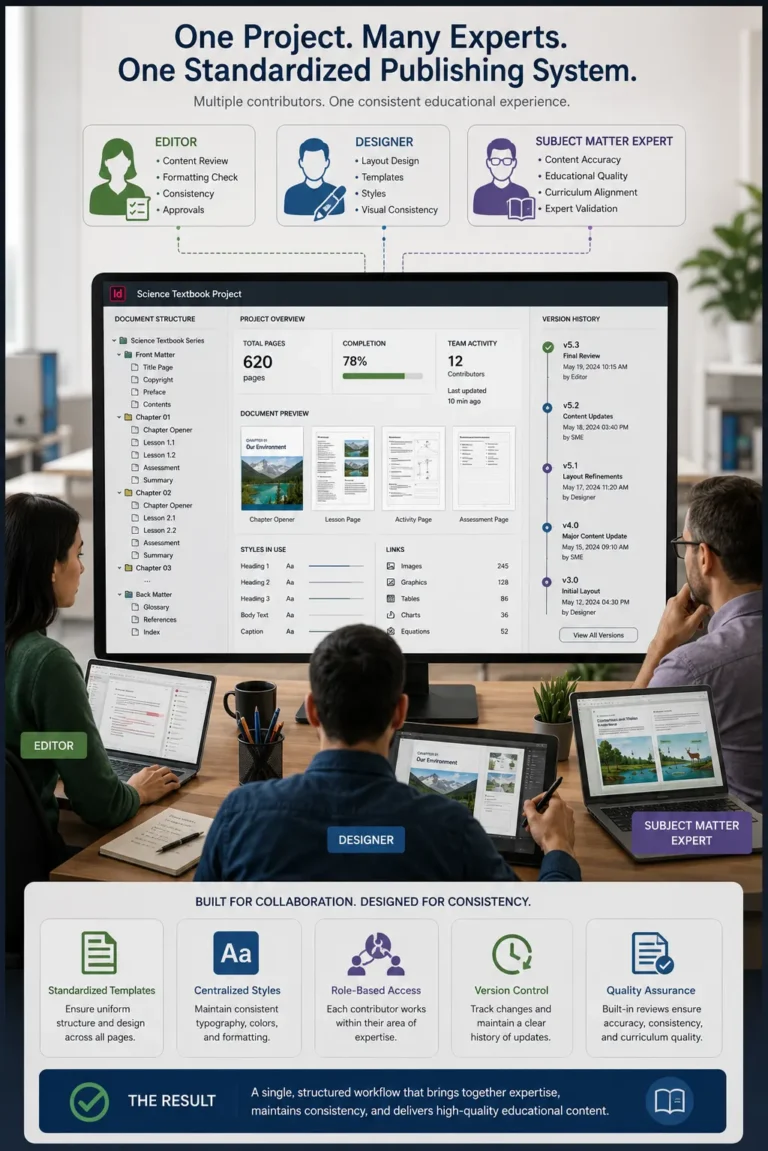
Large publishing projects rarely involve a single creator. A typical textbook project may include:

  • Subject matter experts
  • Curriculum specialists
  • Instructional designers
  • Editors and proofreaders
  • Graphic designers
  • Production teams

Each contributor works on different parts of the publication. Without standardized publishing processes, maintaining a unified appearance across the project becomes increasingly difficult.

To address this challenge, many educational publishers build their production workflows around Adobe InDesign.

How InDesign Supports Consistent Educational Publishing

Rather than relying on manual formatting decisions page by page, InDesign allows publishing teams to establish design standards that can be applied throughout an entire project.

Standardized Templates for Every Publication

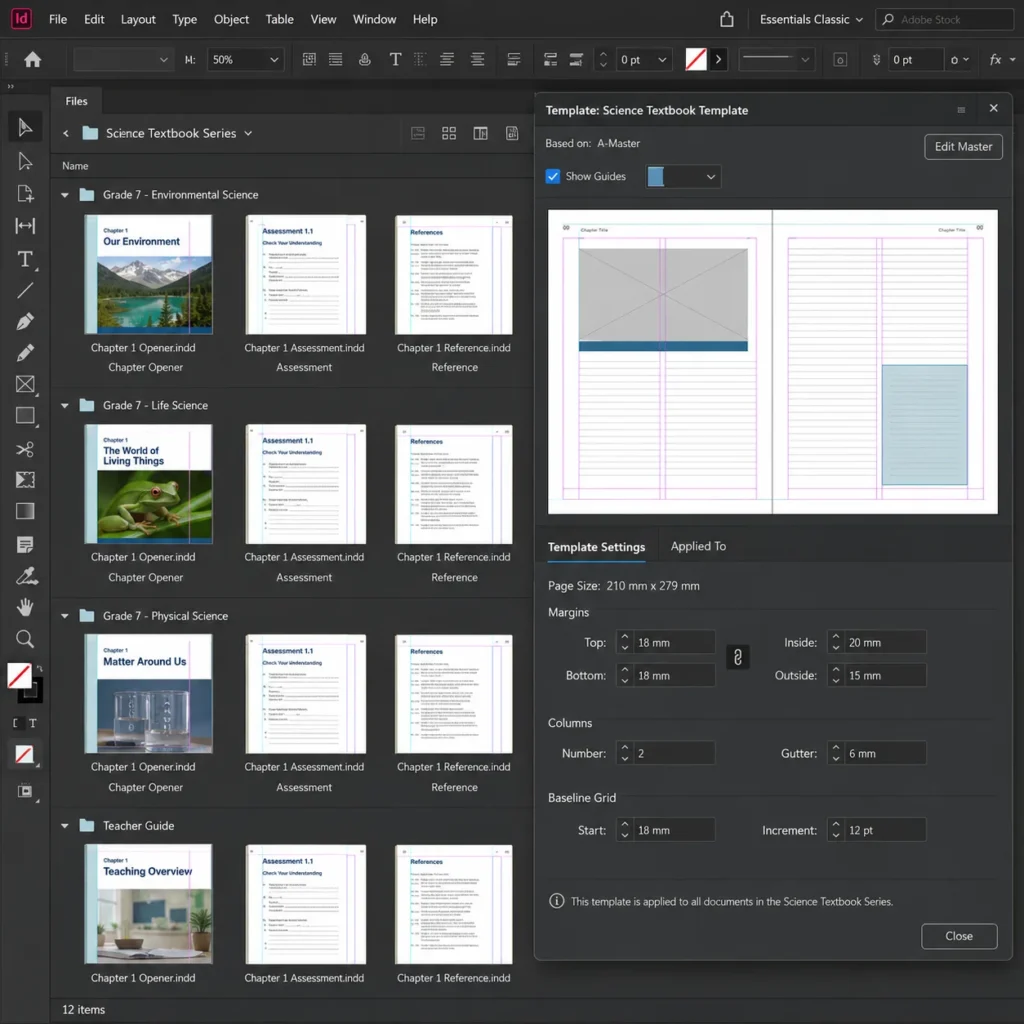
Many publishers begin by creating templates for textbooks, workbooks, teacher guides, and assessment materials.

For example, a publisher producing science textbooks for multiple grade levels can create a common template containing:

  • Chapter openers
  • Learning objectives
  • Activity sections
  • Assessment pages
  • Reference materials

Every new publication starts from the same foundation, reducing variation between projects.

Centralized Style Management

One of the most effective ways to maintain consistency is through style-based formatting.

Instead of manually adjusting every heading, caption, or paragraph, publishing teams define formatting standards once and apply them throughout the document.

If a design update becomes necessary during production, changes can be applied across the entire publication without revising each page individually.

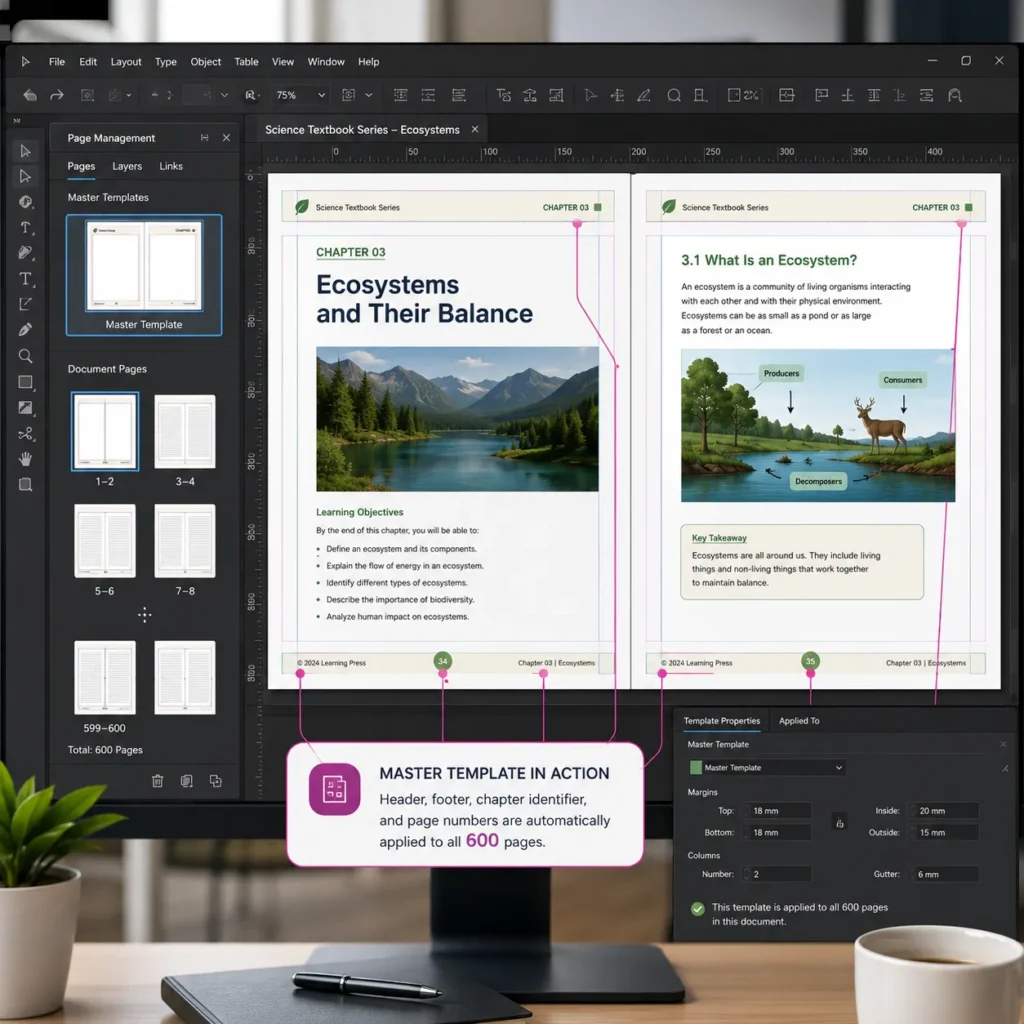
Master Pages for Recurring Elements

Educational publications often contain repeating design components such as:

  • Headers
  • Footers
  • Page numbers
  • Chapter identifiers
  • Navigation elements

InDesign allows these elements to be controlled centrally through master pages, helping ensure uniformity across large documents.

A Practical Publishing Scenario

Imagine a publisher updating a 600-page mathematics textbook following a curriculum revision.

Several chapters require new exercises, updated diagrams, and modified assessment sections. Without a structured publishing system, every update could introduce formatting inconsistencies.

With InDesign-based workflows, publishers can update predefined styles, templates, and layouts while maintaining the visual standards established at the beginning of the project. This lowers the risk of production and guarantees that the updated version is consistent from the first to the last chapter.

Benefits Beyond Design Consistency

The value of consistency extends beyond appearance.

Educational publishers often experience:

  • Faster review cycles
  • Fewer formatting corrections
  • Improved collaboration between teams
  • Easier management of future editions
  • Reduced production costs
  • More efficient multi-format publishing

These operational benefits become increasingly important as content libraries continue to expand.

Creating Scalable Publishing Workflows for Long-Term Success

As educational publishing projects become larger and more complex, maintaining consistency requires more than careful editing. It requires a structured production process capable of supporting multiple contributors, frequent revisions, and evolving curriculum requirements. By providing a framework for standardized layouts, reusable templates, and centralized design control, InDesign helps educational publishers maintain quality and consistency across projects of virtually any size. The result is a smoother publishing workflow and a more professional learning experience for educators and students alike.

FAQ

Consistent layouts and formatting improve readability, support learner navigation, strengthen brand identity, and reduce production errors.

InDesign enables publishers to standardize templates, styles, page structures, and recurring design elements across large projects.

Yes. Many educational publishers use InDesign to manage textbook collections, curriculum programs, teacher resources, and other large-scale publishing initiatives.

Because formatting standards are centralized, updates can often be applied across large sections of a publication without manually editing every page.

Absolutely. Consistent navigation, layouts, and visual structures help create a better learning experience across both print and digital formats.
