
Best Practices for Creating Translation-Friendly Adobe InDesign Files

Well-Prepared Source Files Reduce Localization Challenges

Many multilingual publishing projects encounter delays not because of translation quality, but because the original Adobe InDesign files were not prepared with localization in mind. Inconsistent styles, manually formatted text, embedded content, and disorganized layouts often require extensive desktop publishing work after translation, increasing production time and costs.

Creating translation-friendly Adobe InDesign files from the beginning helps organizations simplify localization workflows, preserve document quality, and improve collaboration between design and translation teams.

Why Translation-Friendly InDesign Files Matter

Localization is more than converting text into another language. Every translated document must maintain its formatting, branding, graphics, tables, and overall readability. Poorly structured source files make these tasks more difficult, leading to unnecessary revisions and production delays.

Well-prepared InDesign documents help organizations:

  • Reduce manual formatting after translation
  • Improve document consistency
  • Simplify future content updates
  • Support efficient review processes
  • Enhance collaboration across publishing teams

Preparing files correctly from the outset contributes to a smoother and more predictable localization workflow.

Use Styles Instead of Manual Formatting

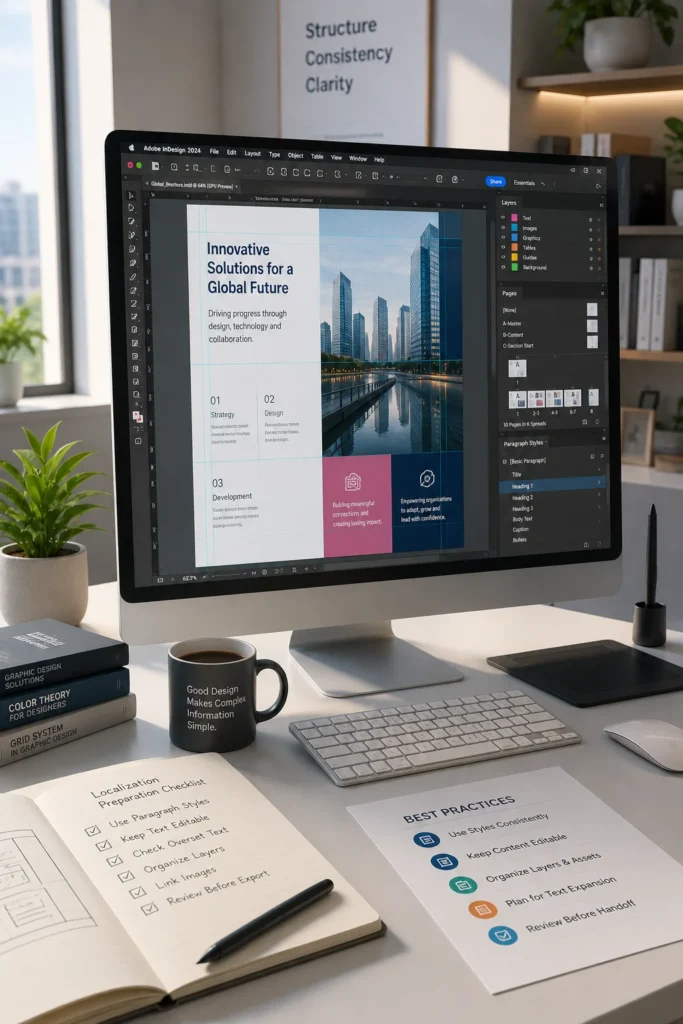
Paragraph styles and character styles provide a structured foundation for multilingual publishing. Rather than applying formatting manually, define reusable styles that maintain consistency throughout the document.

Best practices include:

  • Create paragraph styles for headings and body text.
  • Use character styles only for specific text formatting.
  • Apply object styles to recurring design elements.
  • Minimize manual formatting overrides.
  • Maintain consistent spacing and alignment.

Using styles allows formatting to remain stable even as translated content changes in length.

Organize Documents for Better Workflow Efficiency

A well-organized InDesign project is easier for designers, localization specialists, and reviewers to manage throughout production.

Less Efficient Practice

Recommended Practice

Manual formatting throughout

Style-based formatting

Unorganized layers

Clearly named layers

Scattered linked assets

Organized asset folders

Inconsistent naming

Standard file naming conventions

Independent page layouts

Reusable templates and master pages

A structured project reduces confusion and improves collaboration during localization.

Keep Editable Text Separate from Graphics

Text embedded within images, diagrams, or illustrations often requires additional editing during localization. Whenever possible, keep text as editable content within the InDesign document rather than placing it inside graphics.

This practice helps:

  • Simplify translation updates
  • Reduce graphic editing effort
  • Maintain typography consistency
  • Improve future document maintenance

If graphics must contain text, retain editable source artwork for efficient updates.

Design with Flexible Layouts

Translated content frequently varies in length. Designing layouts with flexibility helps accommodate these changes without affecting document quality.

Consider these recommendations:

  • Leave sufficient white space.
  • Avoid overly tight text frames.
  • Use flexible column widths where appropriate.
  • Design tables that can accommodate longer text.
  • Test layouts using expanded sample content.

Planning for content expansion reduces layout adjustments after translation.

Perform a Pre-Localization Quality Check

Before sending files for translation, review the document carefully to identify potential production issues.

A practical checklist includes:

  • Confirm styles are consistently applied.
  • Remove unused colors, styles, and assets.
  • Resolve missing image links.
  • Eliminate overset text.
  • Verify page numbering and cross-references.
  • Ensure graphics are properly linked.
  • Check tables, captions, and callouts.

Completing these checks before localization helps prevent unnecessary revisions later in the workflow.

A Practical Publishing Scenario

A publishing company is preparing a technical product guide for release in multiple international markets. Instead of relying on manual formatting, the design team develops the document using standardized paragraph styles, master pages, organized layers, and linked graphics. Before localization begins, the project undergoes a structured quality review to confirm document consistency and eliminate formatting issues.

Once translated content is returned, the production team can update the layouts with minimal adjustments. Reviewers spend less time correcting formatting and more time verifying content accuracy, helping the organization deliver multilingual publications more efficiently.

Building More Efficient Multilingual Publishing Workflows

Translation-friendly Adobe InDesign files provide a strong foundation for successful localization projects. By adopting structured formatting practices, organizing project assets, and reviewing documents before translation begins, organizations can reduce production delays, improve document consistency, and streamline multilingual publishing. Investing in proper file preparation ultimately supports higher-quality publications and more efficient content production across global markets.

FAQ

A translation-friendly file uses structured styles, organized layouts, editable text, linked graphics, and consistent formatting that supports efficient localization.

Paragraph styles maintain formatting consistency, simplify document updates, and reduce manual corrections after translated content is imported.

Flexible text frames, sufficient white space, and well-designed tables help accommodate variations in translated text length while preserving the overall layout

Review styles, links, fonts, graphics, page numbering, overset text, tables, and document structure to ensure the file is production-ready.

Well-prepared files reduce formatting effort, improve collaboration between design and localization teams, shorten review cycles, and help maintain consistent document quality across multilingual publications.