How to Create WCAG-Compliant Educational Content

Accessibility Must Be Planned, Not Added Later

Many educational publishers focus heavily on content accuracy, design quality, and curriculum alignment. However, accessibility is often addressed only during the final stages of production. This approach can lead to costly revisions, delayed releases, and learning barriers for students who rely on assistive technologies.

Creating WCAG-compliant educational content requires accessibility to be integrated into every stage of content development, from authoring and composition to digital publishing and quality assurance.

For organizations producing educational resources, accessibility is not only a compliance objective it helps ensure that knowledge is available to the widest possible audience.

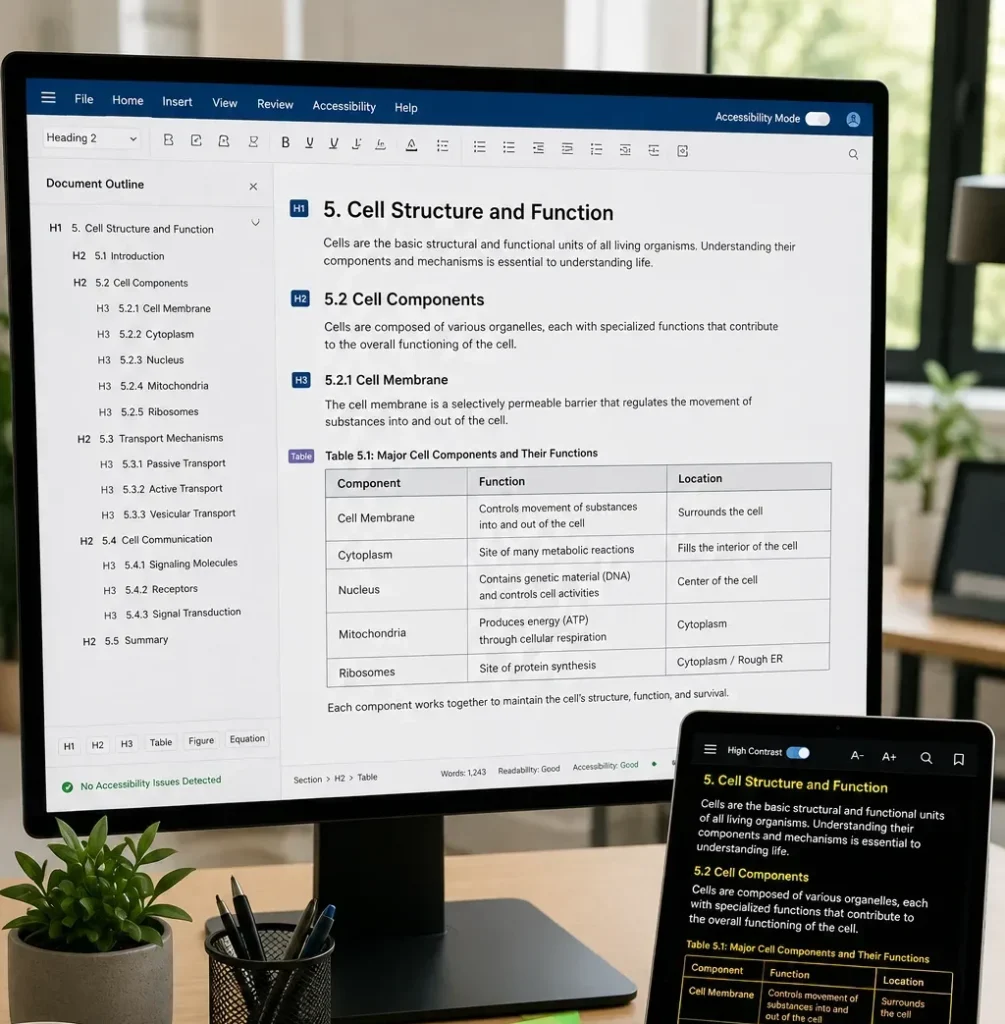
Start With A Logical Content Structure

Accessibility begins with content organization.

A clear structure helps both learners and assistive technologies understand content relationships.

Best Practices

Use:

  • Proper heading hierarchy
  • Consistent section organization
  • Structured lists
  • Meaningful page titles
  • Logical reading order

Avoid:

  • Random heading levels
  • Visual formatting used as structure
  • Unorganized content blocks

A well-structured document improves usability for all learners.

How to Create WCAG Compliant Educational Content

Understanding WCAG In Educational Publishing

The Web Content Accessibility Guidelines (WCAG) provide internationally recognized recommendations for making digital content more accessible.

Educational publishers commonly apply WCAG principles to:

  • Digital textbooks
  • eBooks
  • Online learning platforms
  • Assessment systems
  • Interactive educational resources
  • Mobile learning applications

The objective is to create content that can be perceived, understood, navigated, and used by diverse learners.

Create Accessible Tables

Educational content frequently includes tables containing scientific data, statistical information, and research findings.

Poorly designed tables can be difficult for assistive technologies to interpret.

Accessible Table Guidelines

Recommended Practice

Purpose

Clear column headers

Improve navigation

Logical row structure

Support understanding

Consistent formatting

Reduce confusion

Avoid merged cells when possible

Improve screen-reader compatibility

Descriptive table titles

Provide context

Tables should communicate information clearly regardless of how they are accessed.

How to Create WCAG Compliant Educational Content

Make Scientific Images And Diagrams Understandable

Educational publishing often relies heavily on visual content.

Examples include:

  • Biology illustrations
  • Engineering schematics
  • Physics diagrams
  • Chemical structures
  • Statistical charts

Every important visual element should include meaningful alternative descriptions.

Effective Alternative Text Focuses On

  • Educational purpose
  • Key relationships
  • Important findings
  • Learning relevance

Alternative text should explain what students need to learn from the image rather than merely describing its appearance.

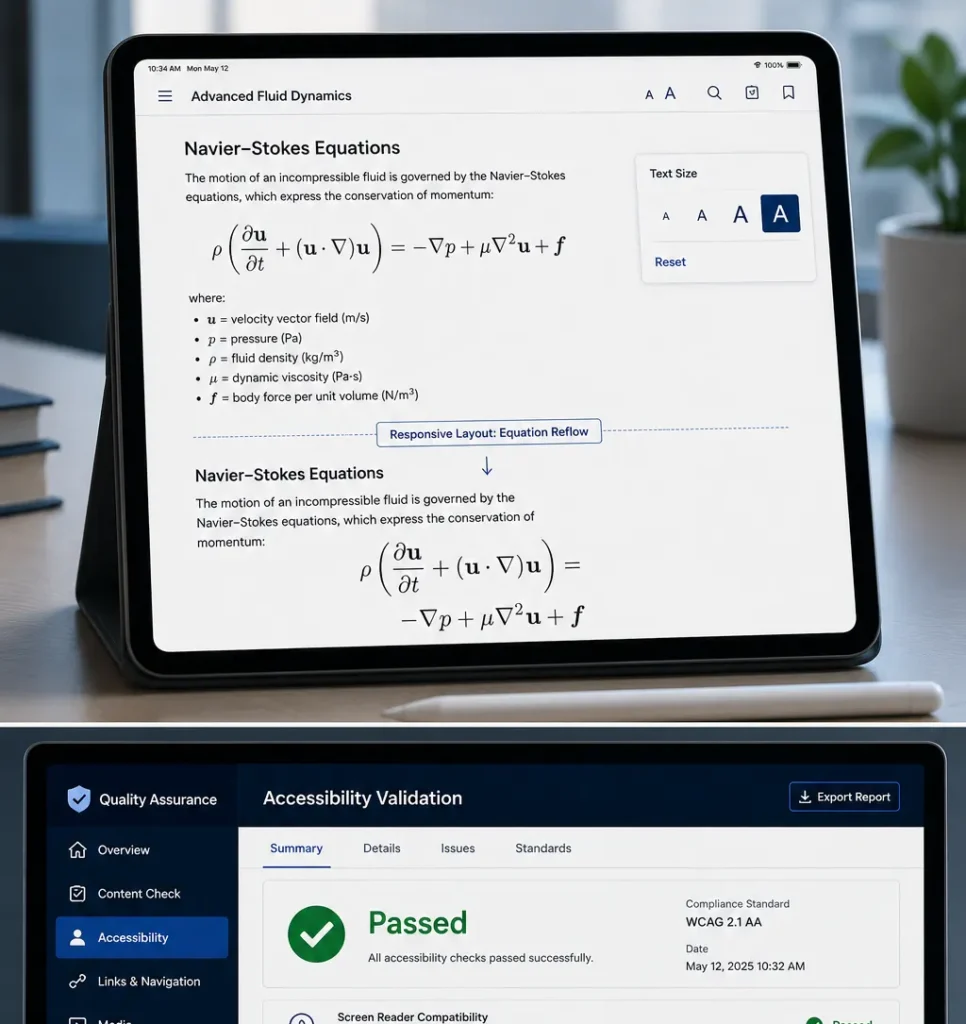
Design For Multiple Devices

Students increasingly access educational content through different platforms.

These include:

  • Desktop computers
  • Tablets
  • Smartphones
  • Learning management systems
  • eReaders

Compare Fixed Layouts And Responsive Design

Fixed Layout Approach

Responsive Approach

Limited flexibility

Adapts to screen size

Potential navigation issues

Improved usability

Difficult mobile viewing

Better mobile experience

Reduced accessibility

Greater accessibility support

Higher maintenance effort

Easier long-term management

Responsive design supports both accessibility and user experience.

Improve Navigation And User Control

Accessible educational content should allow learners to move efficiently through information.

Important navigation features include:

  • Search functionality
  • Structured table of contents
  • Internal links
  • Clear chapter divisions
  • Consistent navigation controls

Good navigation reduces frustration and helps students locate information more quickly.

Incorporate Accessibility Into Quality Assurance

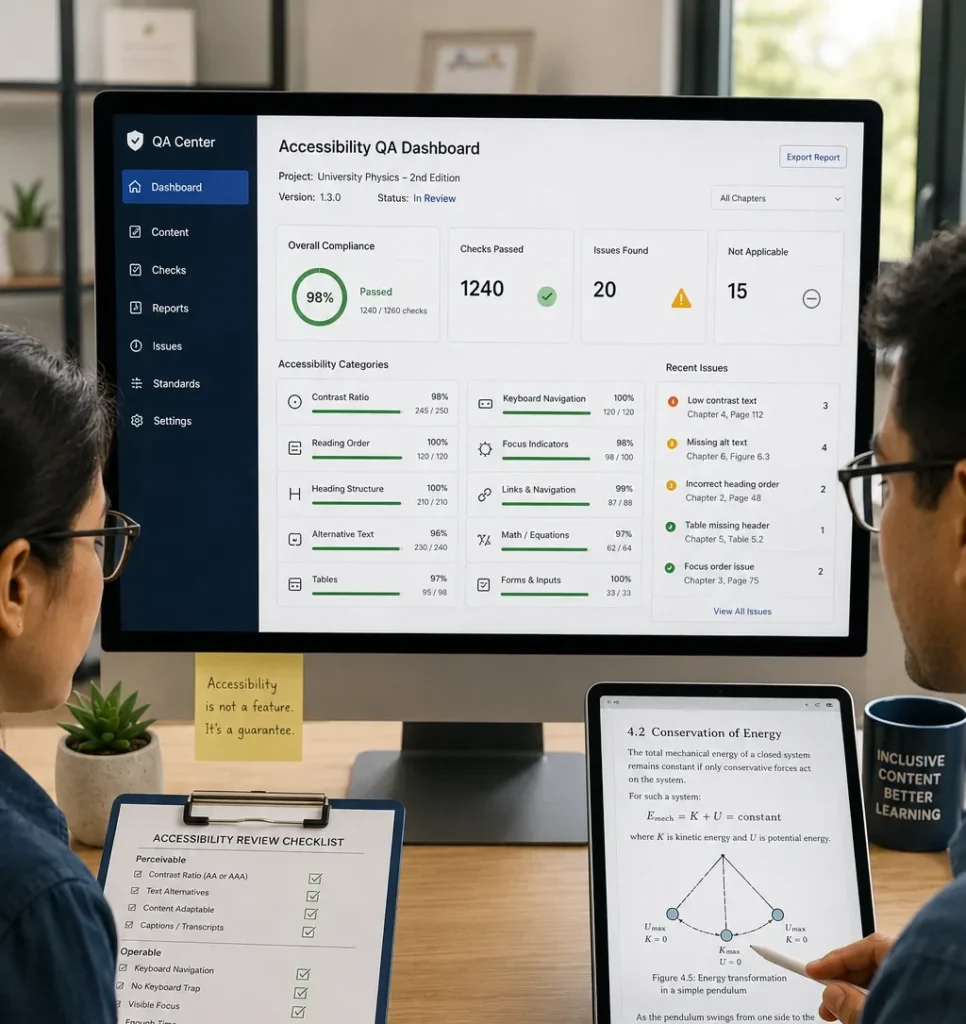
Accessibility should be reviewed alongside editorial and production quality checks.

Common Accessibility Validation Areas

  • Alternative text verification
  • Logical heading order
  • Contrast ratio validation
  • Table accessibility
  • Equation accessibility
  • Navigation testing
  • Mobile responsiveness
  • Screen-reader compatibility

Systematic validation helps identify issues before publication.

Ensure Mathematical Content Remains Accessible

Mathematics presents unique accessibility challenges.

Educational resources may contain:

  • Equations
  • Matrices
  • Integrals
  • Statistical formulas
  • Scientific notation

Publishers should ensure:

  • Equation display integrity
  • Symbol rendering accuracy
  • Logical reading sequences
  • Consistent notation

Mathematical content must remain understandable across multiple devices and assistive technologies.

How to Create WCAG Compliant Educational Content

A Practical Publishing Scenario

Consider a publisher developing a digital science textbook for secondary education.

The project includes:

  • Interactive diagrams
  • Scientific tables
  • Mathematical equations
  • eBook and web outputs

If accessibility is addressed only after production, significant revisions may be required. By incorporating WCAG considerations during content creation, the publisher can streamline production while ensuring the final resource remains accessible across multiple platforms and learning environments.

Building Inclusive Educational Experiences

WCAG compliance is not simply a technical requirement. It is a practical framework for creating educational content that supports a wider range of learners. When accessibility is integrated into content structure, visual design, mathematical composition, navigation, and quality assurance processes, educational resources become more usable, sustainable, and effective.

Publishers that adopt accessibility-focused workflows can improve content quality, reduce remediation effort, and help ensure that scientific and educational knowledge remains available to every learner.

FAQs

WCAG stands for Web Content Accessibility Guidelines, a set of internationally recognized standards for accessible digital content.

WCAG helps publishers create learning materials that can be accessed and used by a broader range of students.

Publishers should provide meaningful alternative text that explains the educational purpose and key information within the image.

Equations, scientific diagrams, technical tables, and complex visualizations often require specialized accessibility planning.

Publishers typically use accessibility-focused quality assurance processes that review structure, navigation, tables, images, equations, responsiveness, and assistive technology compatibility.