
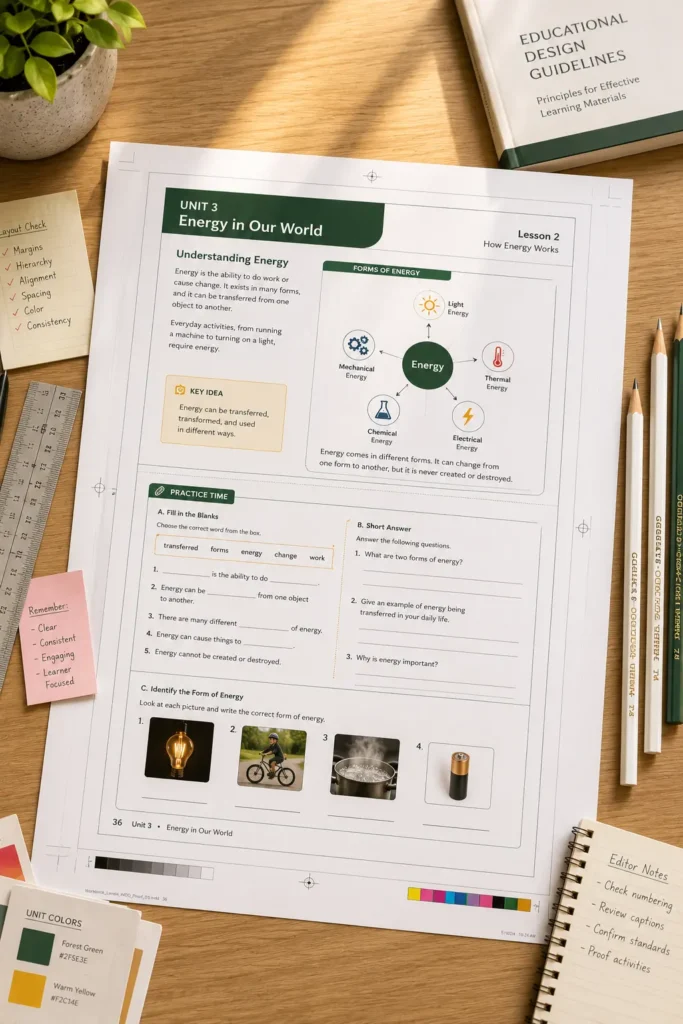

End-to-End Educational Publishing Workflow Using Adobe InDesign

Educational publishing involves much more than creating content and exporting a final file. A single learning resource often passes through multiple stages, including content development, editorial review, instructional design, typesetting, quality assurance, and final distribution. When these stages are not properly coordinated, publishers can face delays, inconsistencies, and increased production costs.

As curriculum programs become larger and more complex, educational publishers need structured workflows that support collaboration while maintaining quality standards. Adobe InDesign plays a central role in many publishing operations by helping teams manage the complete production lifecycle of educational content, from manuscript preparation to final publication.

Why Educational Publishing Requires a Structured Workflow

A textbook, workbook, or teacher guide is rarely produced by one individual.

Typical stakeholders include:

  • Subject matter experts
  • Curriculum developers
  • Authors
  • Editors
  • Proofreaders
  • Designers
  • Quality assurance teams
  • Production managers

Each group contributes at a different stage of the publishing process.

Without a defined workflow, content may move through production inconsistently, increasing the risk of errors and rework.

Stage 1: Content Development and Manuscript Preparation

The publishing workflow begins with content creation.

At this stage, teams develop:

  • Learning objectives
  • Lesson content
  • Activities
  • Assessments
  • Examples
  • Supporting resources

The focus is educational accuracy and curriculum alignment rather than visual presentation.

Once manuscripts are reviewed and approved, they move into the production phase.

Stage 2: Page Planning and Design Framework Creation

Before full layout begins, publishers establish a design framework that will guide the entire project.

This framework typically includes:

  • Page structures
  • Typography standards
  • Heading hierarchies
  • Activity formats
  • Assessment layouts
  • Visual learning components

Creating these standards early helps ensure consistency across all curriculum materials.

For large educational programs, this stage often determines the efficiency of the remaining workflow.

Stage 3: Content Layout and Typesetting

Once templates and design standards are approved, content is placed into structured page layouts.

During this stage, publishers focus on:

  • Text flow
  • Image placement
  • Table formatting
  • Activity design
  • Learning module organization
  • Page composition

The objective is to transform raw content into an engaging and easy-to-navigate learning resource.

Well-structured layouts help improve readability and support a positive learner experience.

Stage 4: Editorial Review and Content Validation

Layout completion does not mark the end of the process.

Educational content must undergo multiple review cycles to verify:

  • Content accuracy
  • Grammar and language quality
  • Curriculum compliance
  • Visual consistency
  • Assessment correctness
  • Publishing standards

Editorial teams work closely with production specialists to ensure revisions are incorporated correctly.

This stage helps prevent costly issues from reaching final publication

Stage 5: Quality Assurance and Production Checks

Quality assurance is one of the most important stages in educational publishing.

Publishers review:

Quality Check Area

Purpose

Typography consistency

Maintain readability

Layout accuracy

Ensure structural integrity

Image quality

Preserve visual clarity

Activity formatting

Support learner usability

Page sequencing

Prevent navigation issues

Style compliance

Maintain publishing standards

Comprehensive quality checks help ensure resources are classroom-ready before release.

Stage 6: Multi-Format Publishing and Output Preparation

Modern educational content is often distributed through multiple channels.

Publishers may produce:

  • Print-ready books
  • Digital learning materials
  • Interactive PDFs
  • Assessment resources
  • Teacher support materials

Using a structured publishing framework helps maintain consistency across these output formats while reducing production effort.

This stage focuses on preparing resources for their intended delivery environments

Stage 7: Ongoing Updates and Content Maintenance

Educational publishing does not end after release.

Curriculum updates, policy changes, and content revisions often require publishers to update existing resources.

A structured workflow makes it easier to:

  • Revise content
  • Update assessments
  • Modify learning objectives
  • Maintain consistency across editions
  • Manage future curriculum releases

This supports long-term content lifecycle management.

A Practical Publishing Scenario

Consider a publisher developing a complete science program that includes student textbooks, workbooks, teacher guides, and assessment materials.

Several writers, editors, and production experts are working on the project. By following a structured workflow—from manuscript preparation and template creation to typesetting, quality assurance, and final distribution—the publisher maintains consistency across all resources while improving production efficiency.

The result is a coordinated curriculum ecosystem rather than a collection of independently produced documents.

Connecting Every Stage of Educational Content Production

Successful educational publishing depends on more than strong content. It requires a structured workflow that connects content development, design, review, quality assurance, and final production. By providing a consistent framework for managing these stages, Adobe InDesign helps publishers create high-quality learning resources while supporting efficiency, scalability, and long-term curriculum management.

FAQ

It is the complete process used to create, review, design, produce, and distribute educational content

Structured workflows improve consistency, reduce errors, and help teams manage complex publishing projects more efficiently

It provides tools for page layout, template management, typesetting, content organization, and production standardization

Quality assurance helps verify accuracy, consistency, usability, and compliance before publication.

Templates help maintain consistency across textbooks, workbooks, assessments, teacher guides, and other educational resources.
