InDesign for eLearning Content Development: Benefits and Applications

The Growing Importance of eLearning Content

Digital learning has transformed the way educational institutions, corporate training providers, publishers, and learning organizations deliver knowledge. Modern learners expect engaging, interactive, and accessible learning experiences that can be accessed across multiple devices and platforms.

As eLearning continues to expand, content creators require tools that support structured design, visual consistency, interactive features, and efficient publishing workflows. Adobe InDesign has become a widely adopted solution for developing professional eLearning materials that can be delivered in both digital and print formats.

Challenges in eLearning Content Development

Creating effective eLearning resources involves more than simply converting documents into digital formats.

Teams who produce content often face challenges such as:

  • Maintaining consistent layouts
  • Managing large learning modules
  • Creating engaging visual content
  • Supporting multiple device formats
  • Updating learning materials efficiently
  • Integrating multimedia resources
  • Organizing complex educational content
  • Delivering content across different platforms

Without a structured publishing workflow, managing these requirements can become time-consuming and difficult.

Why InDesign Is Used for eLearning Content Development

InDesign provides a professional publishing environment that helps organizations create visually engaging and organized learning experiences.

Structured Content Creation

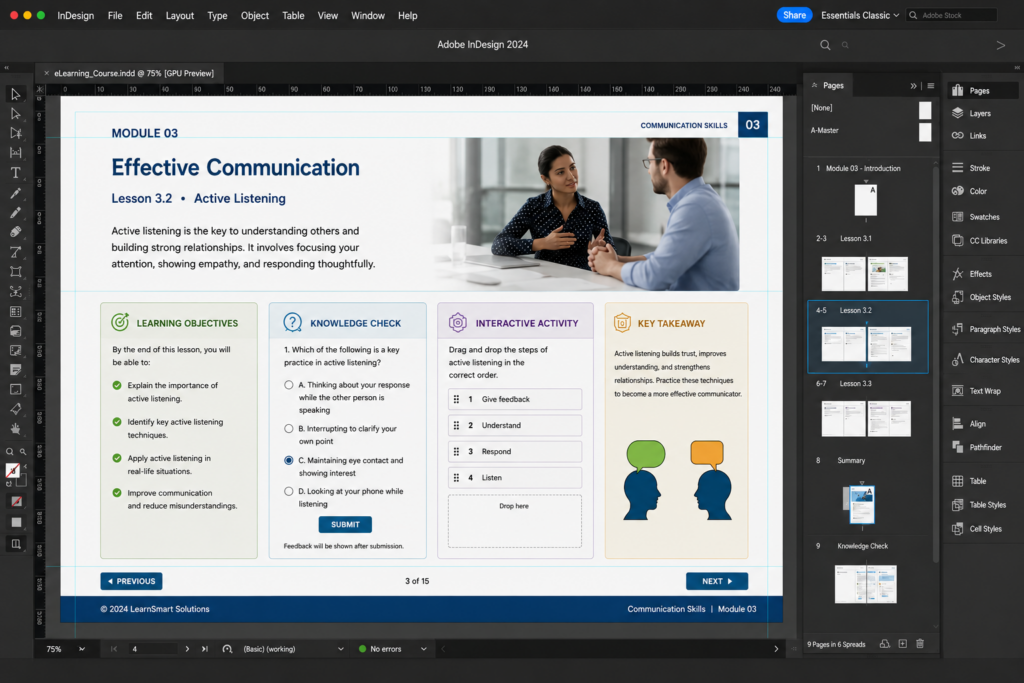
eLearning materials often include:

  • Learning objectives
  • Lesson modules
  • Assessments
  • Knowledge checks
  • Interactive activities
  • Reference materials

InDesign helps maintain clear content hierarchy and learner-friendly navigation.

Consistent Learning Design

Using templates, styles, and master pages allows content teams to maintain consistency across entire learning programs.

Benefits include:

  • Standardized layouts
  • Uniform branding
  • Faster content updates
  • Improved learner experience
  • Reduced design errors
Interactive Learning Features

Modern eLearning content often includes:

  • Hyperlinks
  • Interactive navigation
  • Embedded media
  • Clickable resources
  • Digital assessments
  • Interactive PDFs

These features help increase learner engagement and participation.

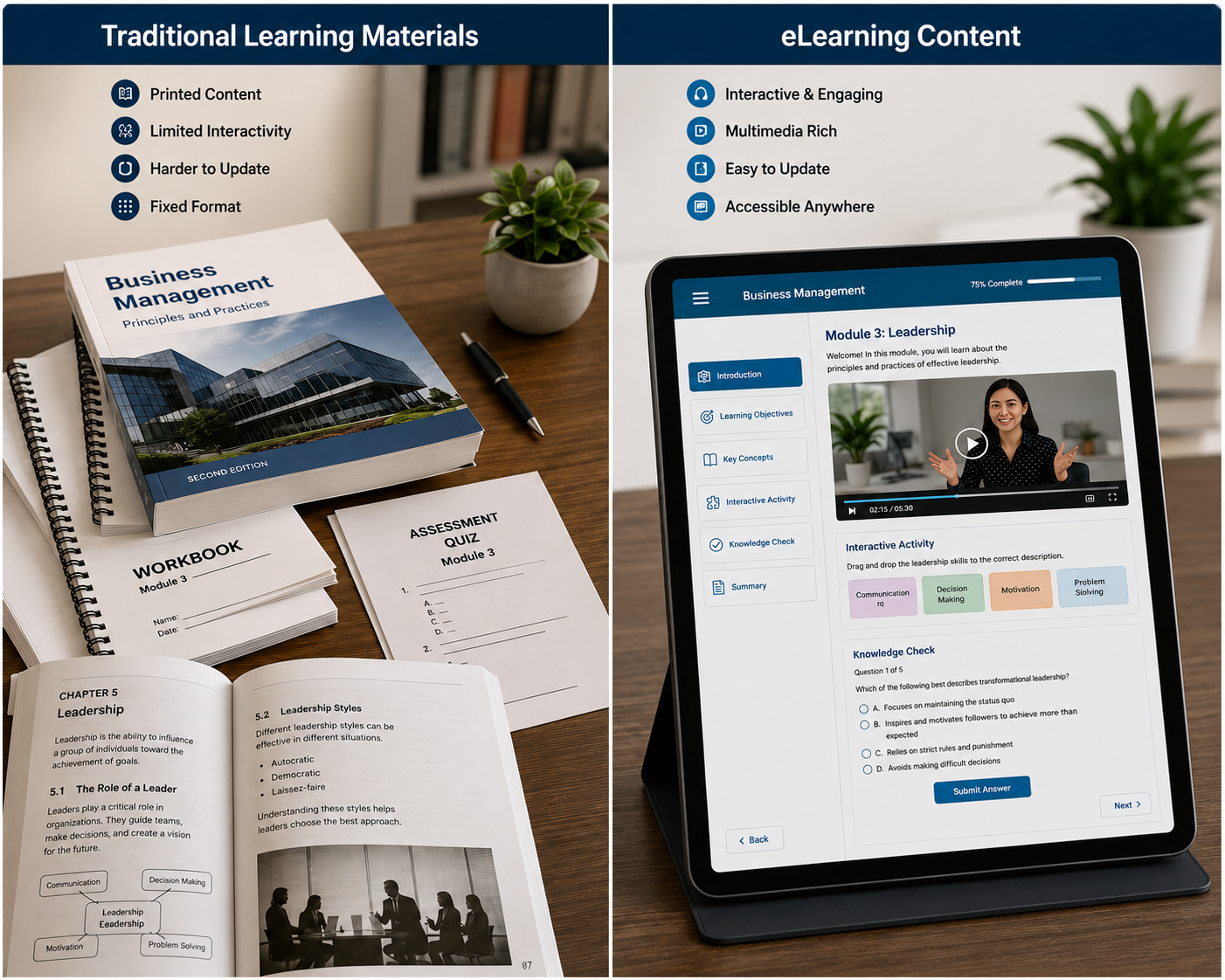
Compare Traditional Learning Materials vs eLearning Content

Feature

Traditional Learning Materials

eLearning Content

Accessibility

Physical access required

Anywhere access

Learner Engagement

Limited interaction

Interactive experiences

Content Updates

Manual revisions

Faster updates

Multimedia Support

Limited

Extensive

Assessment Integration

Separate

Embedded

Device Compatibility

Print only

Multi-device

Learning Flexibility

Fixed

Self-paced

When organizations compare these approaches, eLearning offers greater flexibility and accessibility for modern learners.

Key Benefits of Using InDesign for eLearning

Faster Content Production

Templates and reusable design components help reduce development time.

Multi-Format Publishing

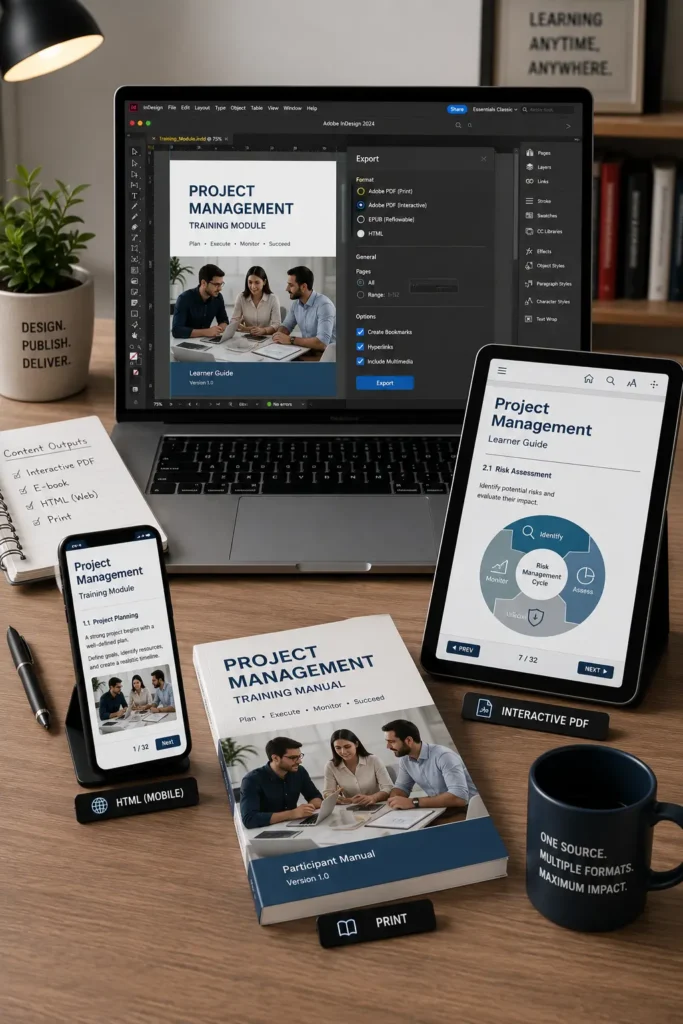
A single source file can be published as:

  • Interactive PDFs
  • E-books
  • Digital learning guides
  • Training manuals
  • Print materials
Improved Visual Learning

InDesign supports:

  • Infographics
  • Charts
  • Diagrams
  • Educational illustrations
  • Visual knowledge aids

These elements improve content comprehension and learner retention.

Better Content Management

Large learning programs can be managed efficiently through structured document organization and standardized workflows.

Applications of InDesign in eLearning
Corporate Training Programs

Develop employee onboarding materials, compliance training, and professional development resources.

Educational Publishing

Create digital textbooks, workbooks, and interactive learning resources.

Higher Education

Produce course materials, study guides, and academic learning content.

Professional Certification Programs

Design structured learning modules and assessment materials.

Technical Training

Develop instructional guides, operating manuals, and skills development resources.

Best Practices for eLearning Content Development

Organizations often achieve better results by:

  • Using standardized templates

  • Designing with learner experience in mind

  • Maintaining consistent navigation

  • Optimizing content for multiple devices

  • Incorporating visual learning elements

  • Including interactive assessments

  • Testing content before publication

These practices help improve both usability and learning outcomes

Frequently Asked Questions

InDesign provides professional layout control, interactive publishing features, multi-format output capabilities, and structured content management tools.

Yes. InDesign supports interactive PDFs, hyperlinks, navigation elements, multimedia integration, and other digital learning features.

Templates, styles, master pages, and reusable assets help reduce development time and improve consistency.

Yes. Many organizations use InDesign for multi-module training programs, digital textbooks, certification courses, and large educational content libraries.

Because eLearning development often requires greater design control, interactivity, scalability, and publishing flexibility than standard document editors provide.